Very Happy using this tool, restored all my corrupted data with preserving their formatting also.
Most Trustworthy Data Recovery Tool for VHD, VHDX, VMDK, VDI, HDD, QED & QCOW files.![]()
Recover & Restore critical data from the virtual disk files created using almost any major Virtual Machine (VM) software. 4 powerful recovery modes namely, Raw, Deleted, Formatted & Partition Data recovery ensure a smooth retrieval of lost data in the case of system crashes, corruption, or inadvertent data deletion.
Features Highlights
BitRecover Virtual Drive Recovery Tool enables users to efficiently & smoothly recover data from nearly all the virtual drive files created using any major Hypervisor. With a superior user-friendly interface, even non-technical users can use it hassle-free. Its key features include:
Virtual Drive Recovery Modes
This tool stands out as one of the most reliable and efficient in the business. It is technically equipped to handle data recovery from nearly-all virtual drive file types, and guides the user through the recovery process in a seamless manner. Some modes that are available through this tool include:
Virtual Disk Data Recovery
As a virtual machine crashes and displays a Black Screen or BSOD (Blue Screen of Death) error, you're faced with a very real problem: Being unable to access the data that is stored on that virtual machine. Most of the time, such issues originate within the virtual machine environment itself, through corruption or system failures, and can be devastating, causing real frustration, and possibly, permanent loss of critical files.
However, there is a ray of hope, the advanced BitRecover Virtual Drive Recovery tool is now available that allows you to easily recover files, from a crashed virtual machine, which was unable to start due to those kinds of errors.
Virtual Disk File Systems Compatibility
Multiple Virtual Disk File System Support: BitRecover Virtual Drive Recovery software provides great flexibility in the form of supporting multifarious file systems of the Virtual Disk files, including FAT, NTFS, HFS+, EXT4, and more. If your virtual disk environment uses older file systems like FAT16 or modern ones like NTFS, the software ensures compatibility for a smooth data recovery. By the virtue of this feature, the lost or damaged data gets recovered from a virtual disk file regardless of its file system structure.
Advanced Virtual Drive Search Capability: The recovery tool also includes a smart search function along with full file system support. Users can save time by quickly locating and recovering specific files from large Virtual Drive files using this tool. You can find what you need without sorting through large amounts of data thereby speeding-up and improving the recovery process. No matter the size or complexity of the virtual drive, the combination of solid file system support and smart search features ensures the best possible data recovery.
Notable Features

Restore Data from All Virtual Drive Files
Within a few minutes of data scanning and recovery process, user can restore virtual hard disk image file data. Now, BitRecover Virtual Drive Recovery Wizard permits to restore files from virtual drive having different file extensions. It is all-in-one utility for VM (Virtual Machine) users that is compatible to recover data from .vhd, .vhdx, .avhd, .avhdx, .vmdk, .vdi, .vbox, .hdd, .hds, .pvm, .qed, and .qcow. virtual disk formats.

Compatible with Multiple Virtual Machines
BitRecover Virtual Disk Recovery Tool supports virtual machine data recovery from Microsoft Hyper-V, Microsoft Virtual Server, Microsoft Virtual PC, Oracle VirtualBox, Parallels Desktop for Mac, Parallels Server, VMware Server (GSX) Recovery, VMware Infrastructure, VMware ESXi, VMware vSphere, VMware View, VMware Workstation, Citrix Virtual Server, Citrix Xen Desktop, Citrix Xen Server, QEMU, Linux KVM, etc.

Virtual Disk Image Recovery for Deleted Data
In case you deleted your important files and folders from .vmdk or .vdi or .vhd file, do not assume your data is lost forever, with the Virtual Drive Recovery Tool, even the deleted Virtual drive data can be recovered. Choose the "Deleted File Recovery Mode" and restore deleted data from almost all the virtual drive files.
Note: Use "Data Recovery Wizard" if you have accidentally deleted the whole Virtual Machine Drive from your PC.

Formatted Virtual Disk Data Recovery
With the wise execution of advanced technical algorithms, it is now possible to recover formatted data from a wide range of Virtual Disk Files. It is true that while formatting the entire data from the disk will be erased, but they are not permanently lost. Virtual Drive Recovery tool has the ability to restore data lost due to formatting of the virtual drive.

Virtual Drive Partition Recovery Mode
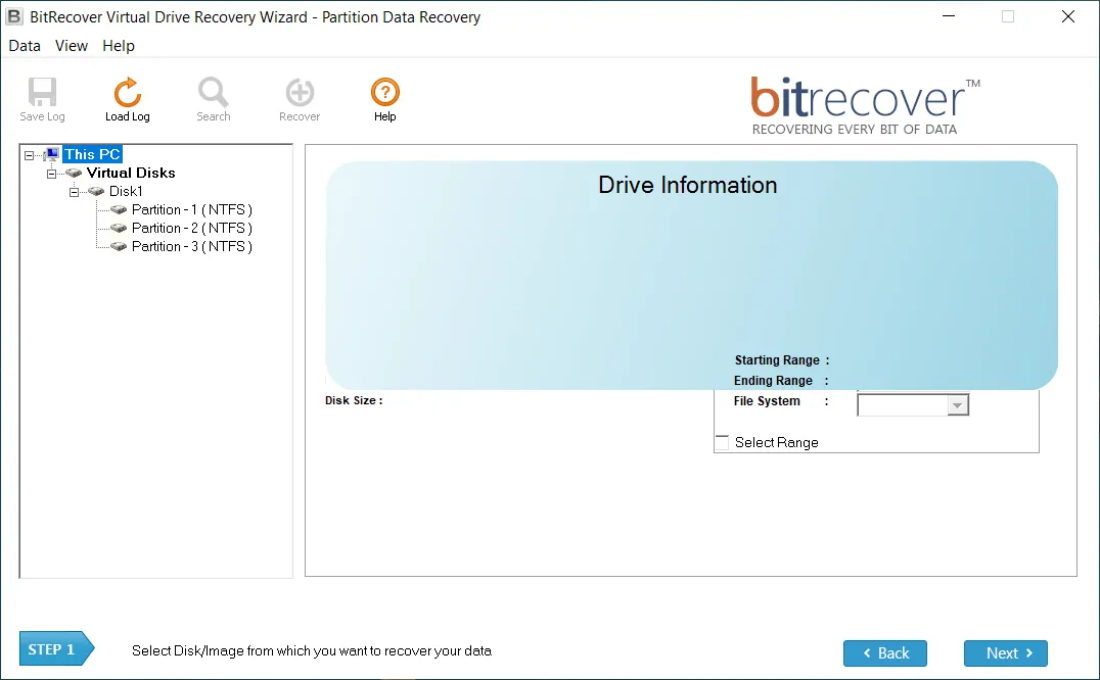
Data Recovery from the lost or deleted partitions is also possible with Virtual Disk Recovery Software. Easily recover files & folders from lost, deleted, corrupt & re-partitioned virtual drive partitions. After selecting “Partition Recovery Mode”, users can restore important data from lost and available virtual hard drive partitions to the maximum possible extent.

RAW Recovery Mode for VM Hard Drives
If the other modes of recovery fail to recover the desired files due to reasons like Corrupted File Allocation Table, then choose Raw Recovery Mode Feature. As this mode makes use of the Signature-based recovery technique according to the file-extension you're looking for (e.g. XLS, DOC, PDF, AVI, MP3, etc.) it is highly possible to recover specific data easily from the virtual disk files.

Multiple Purpose Software for VM Users
Virtual Drive Recovery Wizard can perform recovery even from crashed or corrupted Virtual Machines and Virtual Hard Drives. In case of file deletion, drive formatting or corrupt partitions also, this Virtual Data Recovery tool justifies its role successfully. It is the most helpful toolkit to retrieve all important data from virtual disk environment.

Retrieve VM Data after Emptying Recycle Bin
BitRecover Virtual Disk Image Recovery Wizard is designed in such a way that it is capable to recover deleted files from virtual machines, even after emptying it from recycle bin or trash. It is one of the best feature for virtual machine environment users because it is helpful for restoring permanently deleted files / folders.

Restore Data If VM failed to Start or Boot
Virus, Trojan, Malware & other potential harmful apps & files can corrupt & damage the Virtual hard disk and even bare metal servers. With this program you can easily recover virtual disk data from a corrupt Bare Metal Hypervisors, VMware Server, Hyper-V Server, VirtualBox Manager and Parallels Desktop file also.

Suitable for Different Types of VM Drives
This virtual disk restore software supports monolithic sparse, monolithic flat, 2 GB max extent sparse & 2 GB max extent flat .vmdk virtual machine disk file types. Even it is well-suitable for fixed, dynamic, linked or differencing .vhd virtual hard disk file types. The tool also supports QED (QEMU enhanced disk) format & QCOW (QEMU Copy-On-Write) format created with VirtualBox or Linux Kernel Virtual Machine (KVM).

Supports Citrix XenServer VG_XenStorage
With the Virtual Data Recovery tool on your side, you can easily perform Citrix XenServer recovery from Windows VHD virtual machine files created within XenServer and Xen hypervisor platforms. If your XenServer has failed to start or you have lost data due to its LUN's drive failure, then this Virtual Drive Recovery software can help user in salvaging data from Citrix XenServers. Get Citrix recovery executed at user comfort with the excellent tool available here. The tools comes as a handy solution for the general issues faced by Citrix Server users as Corruption of the LUN's and Virtual file systems.

Compatible with All File Systems & Win OS
BitRecover Virtual Drive Recovery Wizard is authorized for restoring data from virtual machine having FAT & NTFS. It supports variants of mentioned file systems such as FAT16, FAT32, VFAT, VVFAT, NTFS, NTFS5, etc. This application can be installed on all latest and previous Windows OS editions including server editions i.e. Win 10, Win 8.1, Win 8, Win 7, Win Vista, Win XP, Win Server 2019, Win Server 2016, Win Server 2012 R2, Win Server 2012, Win Server 2008 R2, Win Server 2008, Win Server 2003 R2, Win Server 2003, Win Server 2000, etc.

Advance Search to Restore Selected Data
After completing the VM hard drive scanning process, users can use advance search option that is most helpful for recovering selected data from a virtual hard drive. It is most helpful feature if someone wants to restore only crucial information from virtual machine MBR (Master Boot Record) or GPT (GUID Partition Table).

Preview Virtual Hard Disk Data before Restoration
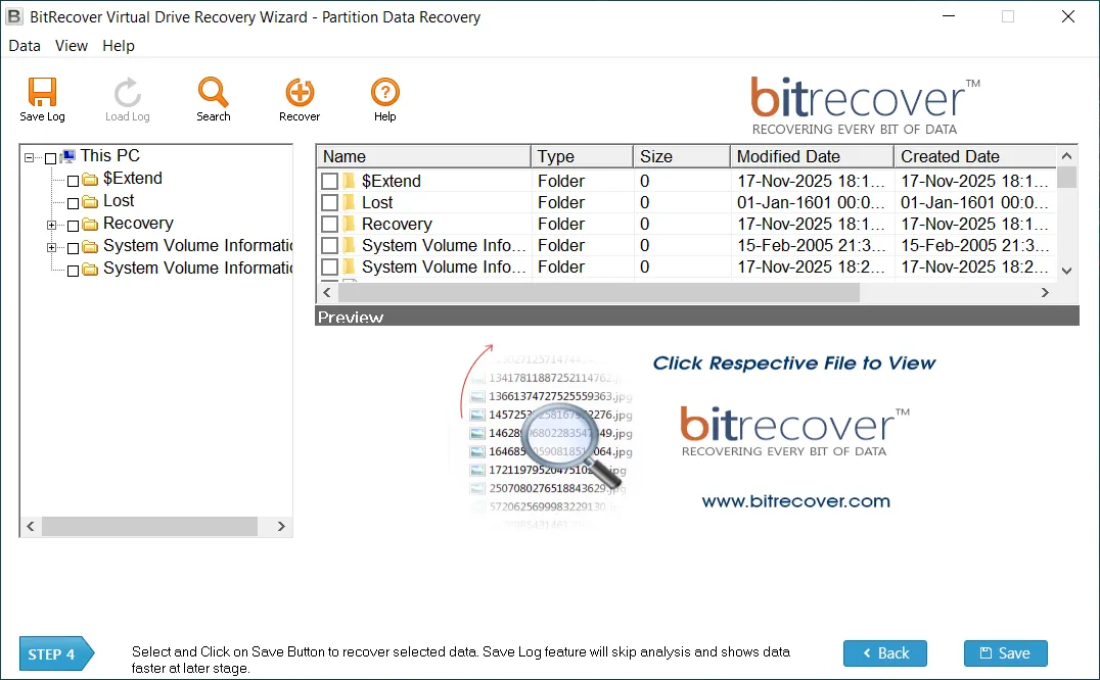
After uploading a virtual hard drive file having .vhd, .vhdx, .avhd, .avhdx, .vmdk, .vdi, .vbox, .hdd, .hds, .pvm, .qed, and .qcow extension in the software panel, the user is asked to choose a recovery mode from the available modes and after finishing the scanning process, users can preview complete virtual drive data in the software window.
Advanced Settings
Standout Features of Virtual Drive Recovery Wizard Tool
Advanced Virtual Drive File Recovery
Multiple File Systems Support
Most Virtual Drive File Extensions Supported
Sophisticated Virtual Drive Search Capability
Core Benefits
Sophisticated Data Recovery Capabilities
BitRecover Virtual Drive Recovery Tool has sophisticated features to perform recovery of the lost and deleted Virtual file data. It easily recovers data from different Virtual Drives that are no longer accessible and promises to ensure minimal data loss.
Multi-Format Virtual Drive Support
The Virtual Drive Recovery Software is great at supporting a multitude of widely-used virtual drive formats. And thus, regardless of the platform and disk type, a smooth data recovery process is ensured under many types of virtual machine environments.
Major File Systems Supported
The BitRecover Virtual Drive Recovery Tool is technically competent to recover critical lost data from the corrupted or inaccessible virtual disks having widely-used file systems such as, FAT, FAT16, FAT32, FAT64, NTFS, HFS+ and EXTX. Its superior Algorithmic logic has the ability to effectively scan & detect the file systems of corrupted virtual drives and execute superior mechanisms in order to extract and recover data from it.
Step-by-Step Guide
Download & Run Virtual Drive Recovery Wizard Software
First, click on the download button on the page to download the setup of this software on your desktop. Thereafter, provide the admin permission and follow on-screen instructions to install and run the program on your PC.
Select Virtual File for Data Recovery
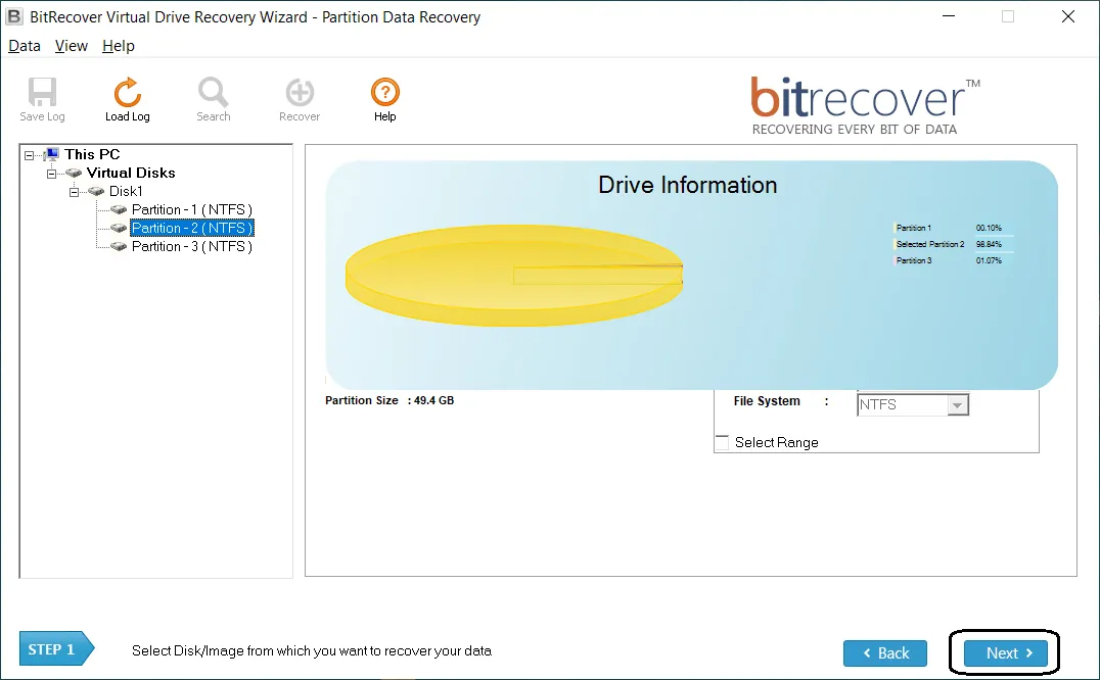
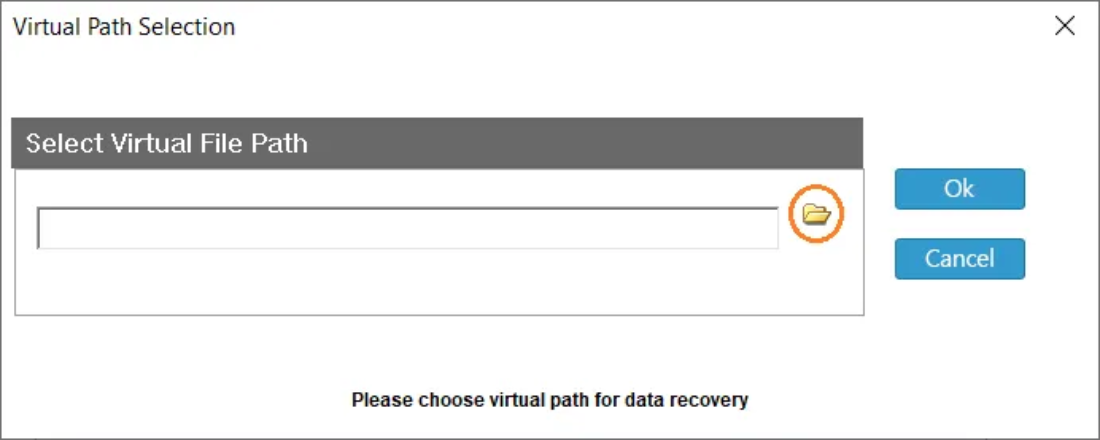
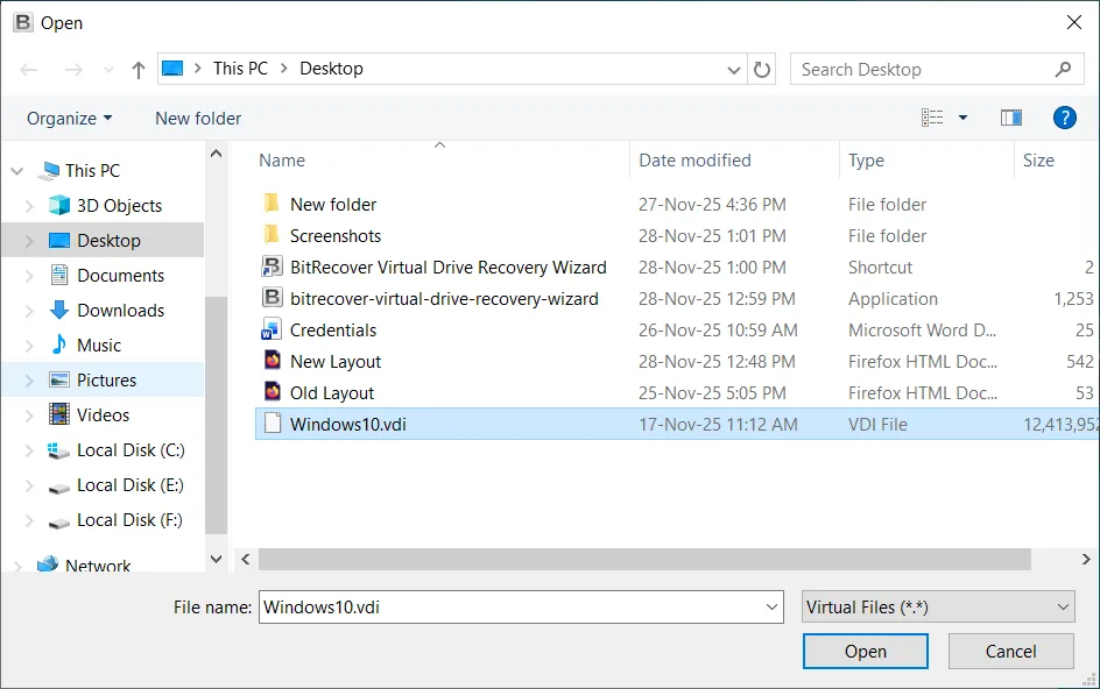
Now here, we may add the path to the virtual disk file from which the data needs to be recovered, by clicking on the "Select Folders" option. A window dialog box will open from which we may manually select the path to the virtual hard drive file's location.
Choose Data Recovery Type
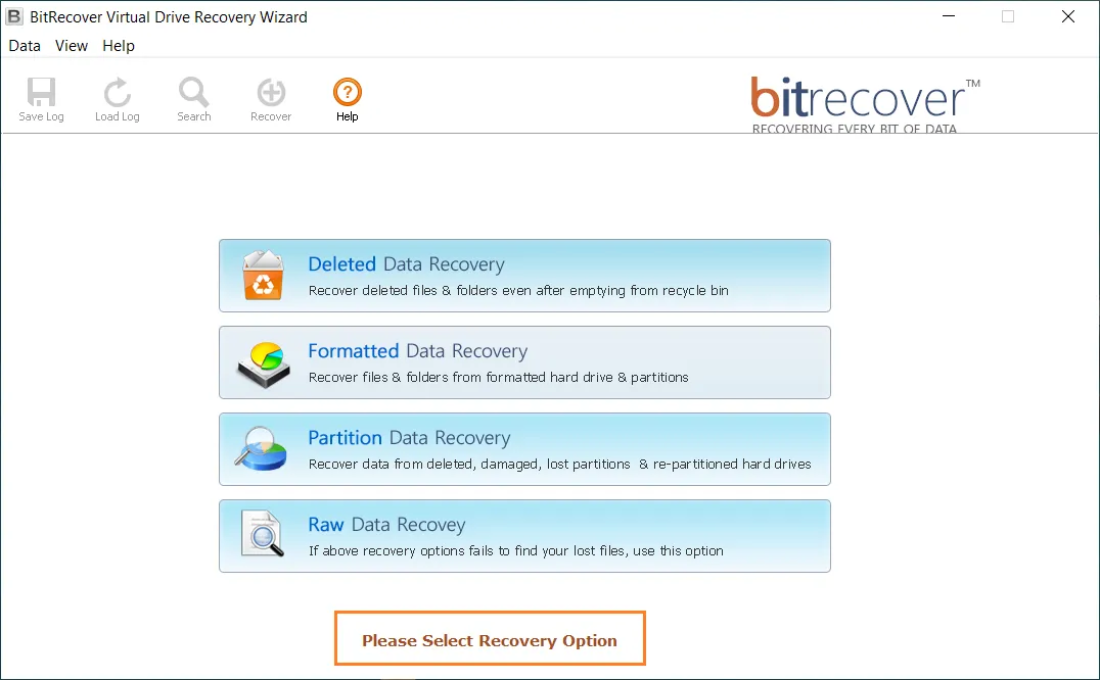
In the next window or dialog box, we need to select from the types of data recovery modes namely, Deleted Data Recovery, Formatted Data Recovery, Partition Data Recovery, and Raw Data Recovery as per our requirements or needs.
Start Virtual Drive Recovery Process
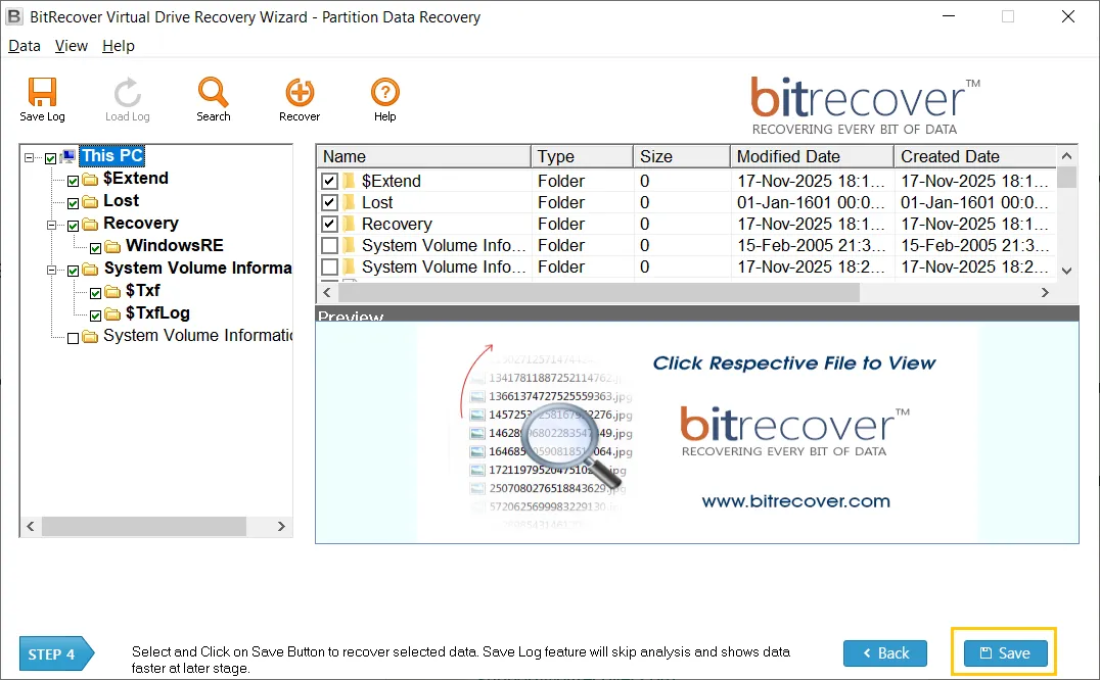
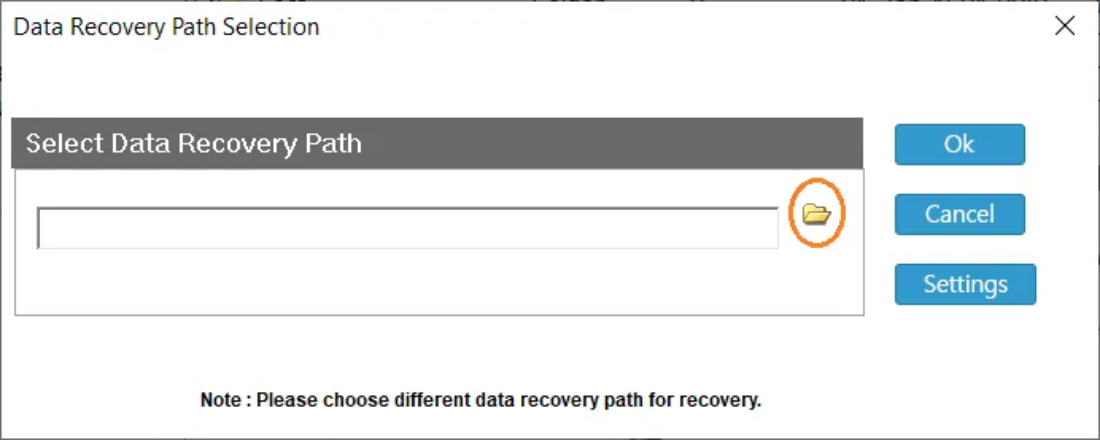
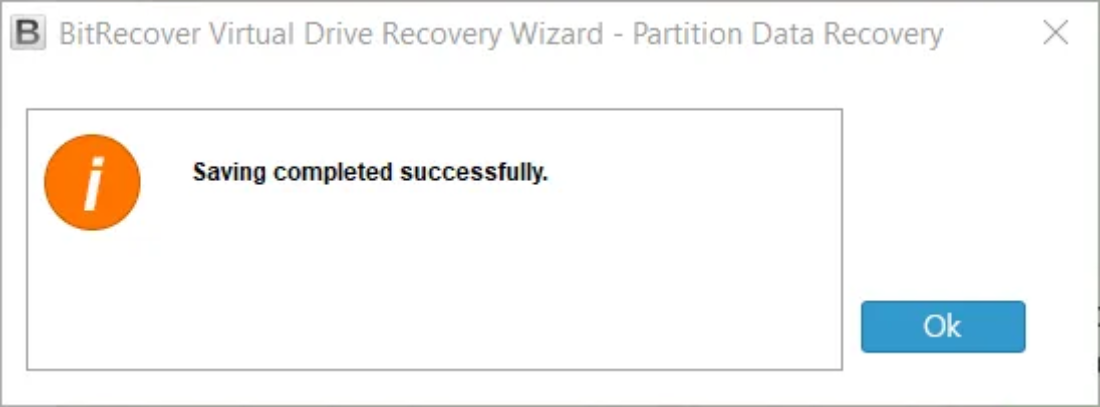
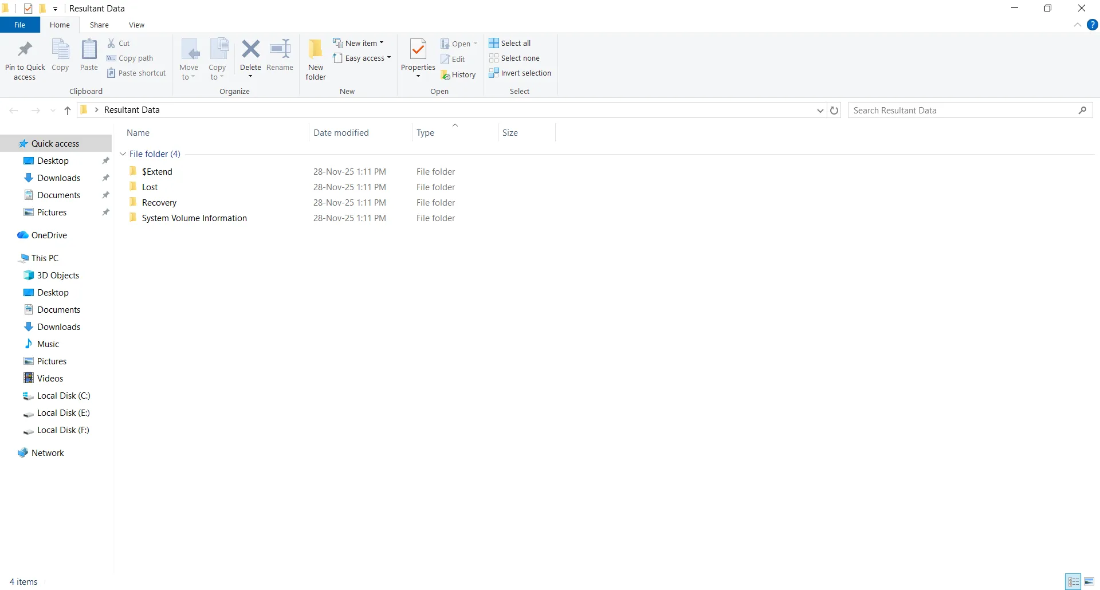
Finally, in the next window, we shall start the data recovery process by selecting the virtual hard drive partition from the directory tree structure and then choosing the appropriate files via the checkbox for which we intend to initiate the recovery process.
System Specifications
Software Download
File Size: 1.22 MB
Version: 4.1
Trial Limitations
Trial edition of software functionality is same as of licensed edition of the software. Recovers & displays lost data, but to save recovered data user have to purchase licensed edition of the software. Saving of data is disabled in trial edition.
System Specifications
Hard Disk Space
100MB of free hard disk space
RAM
Minimum 4 GB RAM
Processor
Intel® Pentium 1 GHz processor (2.4 GHz is recommended)
Supported Editions
Electronic Delivery
BitRecover Virtual Drive Recovery Wizard Software is delivered automatically. After your payment is confirmed, you will receive an email with a link to download the product and the activation key.
Feature Comparison
FAQs
Yes, you can recover HDD data as well with our amazing solution.
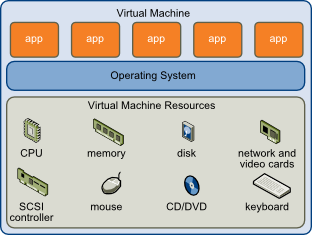
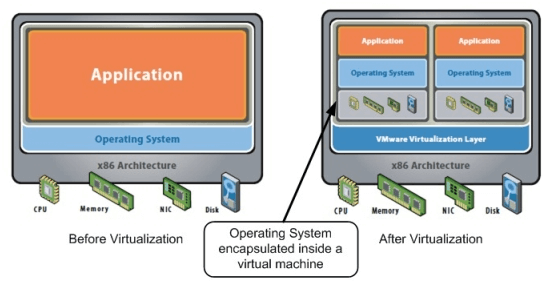
A Virtual Machine is a software-based emulation of a physical computer. VM typically includes an operating system, hardware resources and software programs. The link between the guest VM OS and the host computer’s hardware resources, such as CPUs, network cards, memory, video cards, USB ports and hard disks, is handled by a hypervisor, which acts as a virtualization layer.

The Virtual machine operating system behaves identically to its native operating system for the user. VMs can further be categorized as Server and Client based VM’s. Server VMs can run remotely providing Software-as-a-Service (SaaS) or can run locally on a host computer.
Yes, you can recover data from formatted VMDK file also. Tools is designed with algorithms that help to recover data from virtual machine VMware file with .vmdk extension at any case of data loss or damage.
Yes, you can restore virtual disk from Windows 10 OS & other Windows OS as well.
Virtual drive recovery software product restores data from NTFS & FAT partitions including exFAT, FAT32 & FAT16. Software also supports GPT and MBR disk partitions also.
When we categorize Hypervisors, they can be categorized as Type-1 (native or bare-metal hypervisors) and Type-2 (hosted hypervisors). Bare Metal Hypervisors or Native Hypervisors runs directly on host's hardware machine and uses its hardware to manage guest operating systems. If any of your bare metal hypervisor gets corrupted and you need to go for Bare Metal Recovery, then you can use this Bare Metal Server Data Restore Utility that assure you to restore your data safely. We support all modern hypervisors like Oracle VM Server for Windows, VMware ESX/ESXi, the Citrix XenServer and Microsoft Hyper-V 2008 / 2012.
Client Testimonials