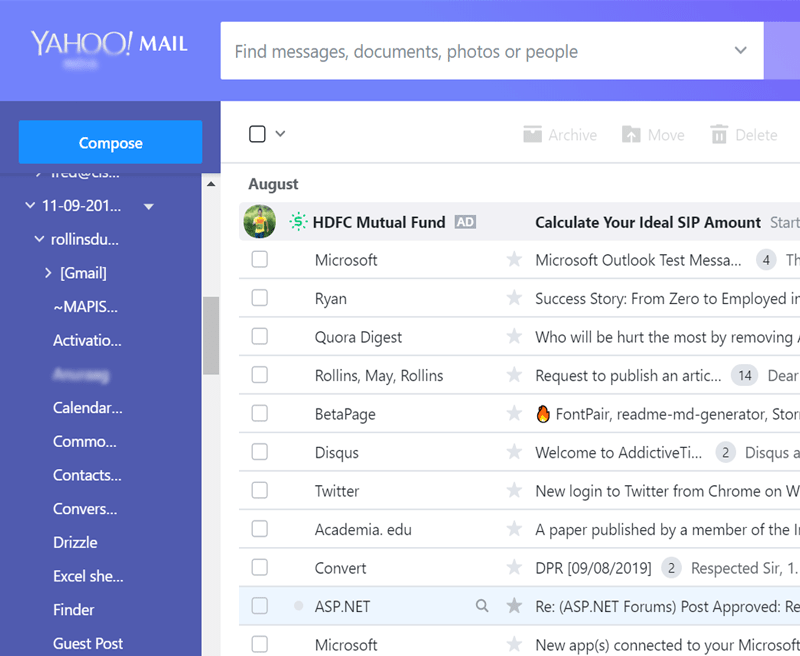
Just follow given steps to import PST files into Yahoo Mail
![]()
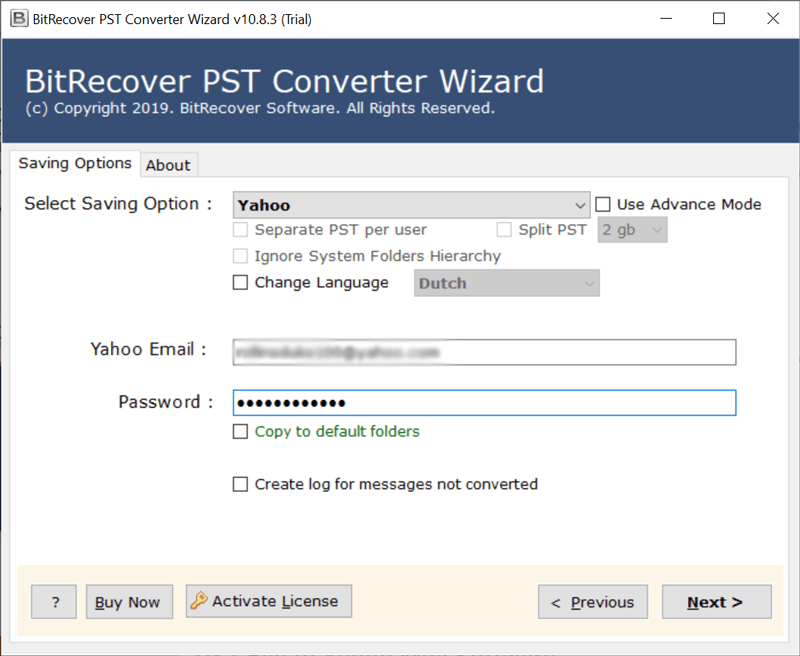
PST to Yahoo Mail is a fully automatic product for importing PST files to a Yahoo email account, requiring no manual steps to complete the process. The tool asks for Yahoo email account login details to Transfer Emails from Outlook to Yahoo Mail including all details. The software also supports both ANSI and Unicode PST and OST files.
Note : You need to create App Password in Yahoo Mail to convert PST File to Yahoo Mail
![]()
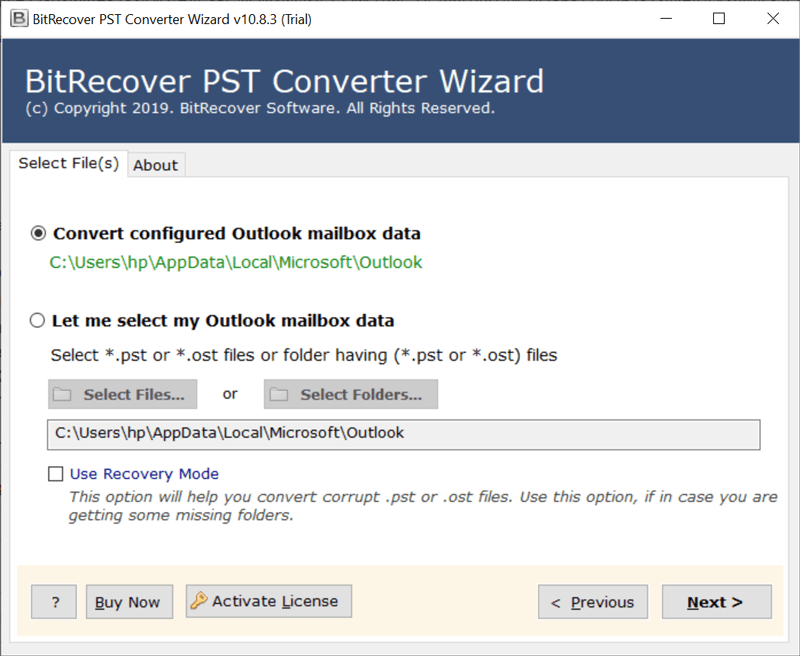
This PST to Yahoo Wizard offers two options for selecting *.pst file(s):
![]()
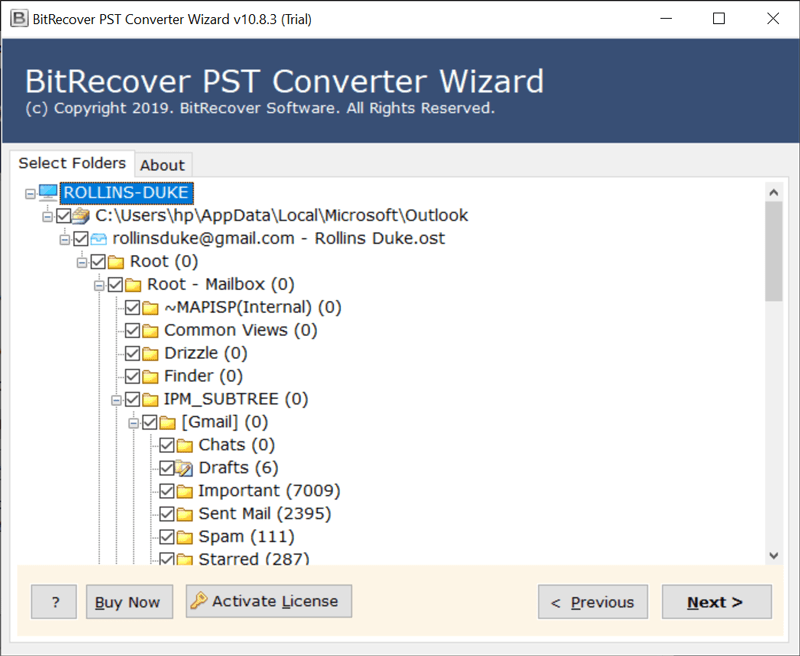
The PST to Yahoo Wizard software is capable to browse multiple PST File & the software displays complete list of folders within multiple PST Files. Here users can choose and select desired folders to export from PST to a Yahoo Mail Account and Mailboxes.
![]()
The tool allows to import PST file to Yahoo mail in bulk to save user’s time and efforts. First, save all PST files in a folder; then run this utility and select the folder. The tool will upload the entire folder, including multiple .pst files, directly to the Yahoo email account.
![]()
The software provides multiple advanced options for importing PST Files into Yahoo Mail Account. The tool provides multiple advanced options such as Filter by date Range , From, To, Subject, Exclude Folders , Exclude Empty Folders , Export by Category. It also allows users to import PST to Yahoo Mail, including emails and contacts.
![]()
Maintains Email Attributes
This PST to Yahoo Wizard not only imports emails from PST files to Yahoo Mail but also preserves all email attributes and components (e.g., Attachments, Signatures, Hyperlinks, Folders, From, To, Cc, Bcc, Subject, Text, etc.), which are critical for users.
![]()
Multi-Language Installation
Worldwide users are compatible with different languages, so the company launched this software in multiple languages. This means users can install the product in their own language, such as English, Français, Deutsch, Italiano, etc.
![]()
Import ANSI and Unicode Files
PST to Yahoo Mail Software supports both ANSI and Unicode PST files successfully so with the help of this product users can migrate Outlook 2019, 2016, 2013, 2010, 2007, 2003, 2002 exported PST file to Yahoo email account without facing any problem.
![]()
Preserves Folders Structure
MS Outlook PST file has multiple folders to save email messages like Inbox, Outbox, Deleted Items, Sent Items, Junk Emails, User generated folders. This application is able to complete the process without changing the folder and sub-folder structure while importing PST files to Yahoo Mail.
![]()
Common Features of Tool
The PST to Yahoo Wizard also has some common but advance features that make it special software to import emails from PST Files to Yahoo account like Single Panel Interface, Supports All Windows OS, 24 Hours Technical Support, Free Demo Edition, Virus Free Setup, etc.
Trial Limitations
Free PST to Yahoo Wizard gives permission to migrate 25 emails from each PST folder to Yahoo Mail account directly so users can check product features before purchasing its license keys.
System Specifications
Hard Disk Space
100 MB of free hard disk space
RAM
Minimum 4 GB Required
Processor
Intel® Pentium 1 GHz processor (2.4 GHz is recommended)
Supported Editions
Windows 11 & All Below Windows Versions
Feature Comparison of PST to Yahoo Mail for Windows - DEMO and Licensed Version
| Features | DEMO Version | FULL Version |
|---|---|---|
| import PST file to Yahoo mail directly | ||
| Transfer single & multiple PST to Yahoo Mail | ||
| Preserves data integrity | ||
| Windows 10 & All Other Previous Windows Version Supported | ||
| Upload PST files to Yahoo email without size limitation | 5 contacts from each .vcf file | All Items |
| 24*7 Tech Support & Secure 100% | ||
| Cost | FREE | $49 |
Commonly Asked User's Questions & Some essential information
Yes, the software allows you to import PST files from archived or old Outlook accounts, as long as the PST file is accessible on your local storage. It doesn’t require an active Outlook account, and the PST file can be from any Outlook version
Yes, the company launched this software after deep research. It has been successfully tested repeatedly in the BitRecover Lab and is trusted by millions of users, so we can proudly say that it works without confusion (or complications).
No, it is standalone product which require only PST or OST files to perform the process.
Yes, it is able to import password protected PST file to Yahoo Mail successfully.
Yes, there is no size limitation as it is compatible with large size PST files.