Convert MHT (MIME HTML) files into more accessible or shareable formats for better compatibility. The BitRecover MHTML Converter Wizard provide a fast and reliable way to convert MHT files into multiple formats without any data loss.
Steps to Convert MHT Files in Bulk
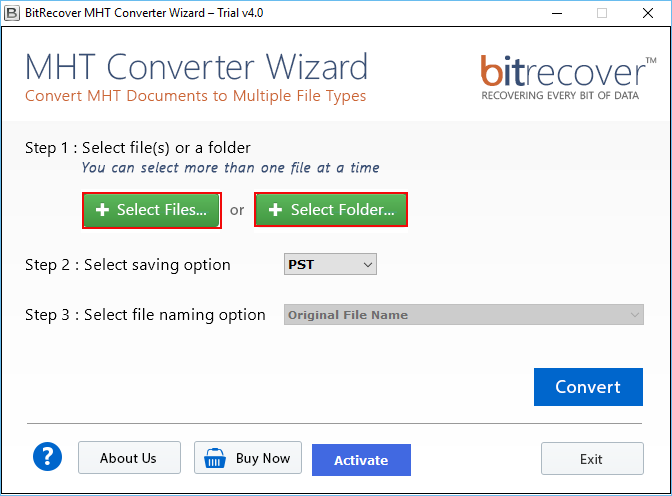
The MHT Converter wizard enables you to easily convert Web Archive single File( *.mht) & Webpage MHTML File (*.mhtml) at once. The MHT / MHTML Converter software offers multiple modes to Browse MHT Documents into the software & convert all the files in single / batch mode.
The MHT / MHTML Converter tool provides dual mode to perform the conversion of MHT or MHTML file. Users can “Select Files” option to perform the selective conversation. Otherwise, there is an option “Select Folder” to perform conversion of multiple files containing in one folder at a time. MHT File Converter helps to save user’s time by converting multiple files at once.
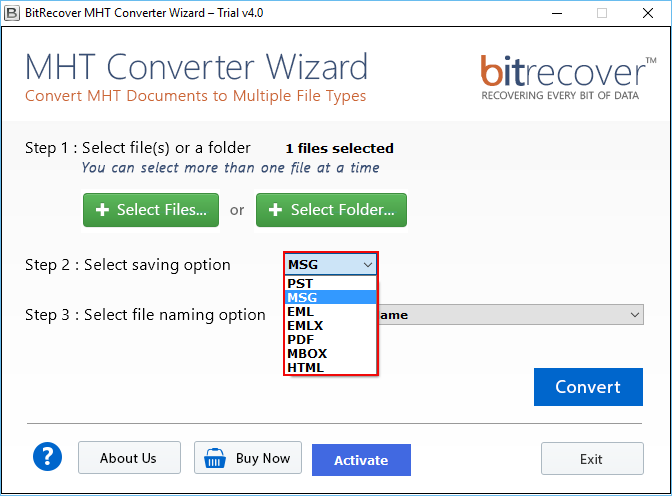
While working, users sometimes need to print their MHT file data by maintaining its data integrity so, they need to convert their data to PDF file format that is acceptable for legal use. Therefore, MHT file converter helps them to convert their entire data of MHT or MHTML file to legally accepted format by maintaining the originality of data.
MHT converter application has been designed in such a way that it does not need any other installation on the system to perform the conversion of data. The software only requires MHT file to convert data. However, to view the data after conversion, you may need a specific application to access the resultant data.
Various File Naming Options
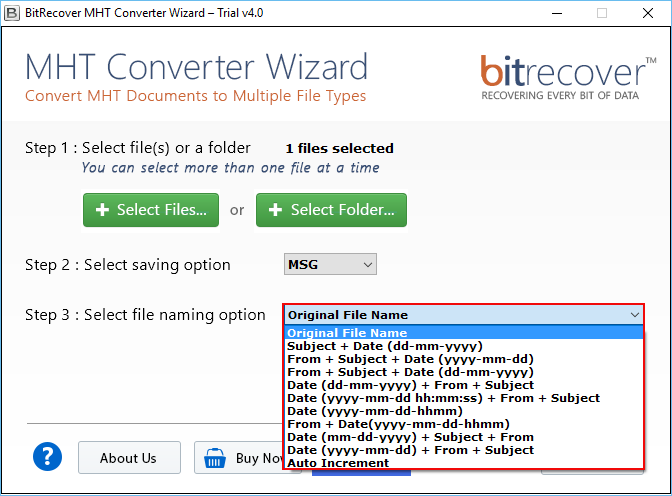
While converting MHT file to PDF, HTML, EML, EMLX, and MSG accordingly, the software gives an option to select an appropriate naming pattern to store the data. There are multiple file naming conventions available such as DD-MM-YY, DD-MM-YYY, MM-DD-YY, etc.
Easy-to-Use Interface
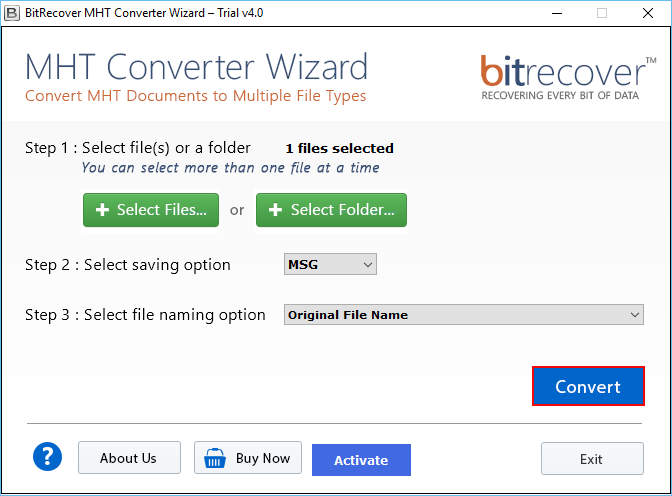
This MHT file converter solution offers its users an easy-to-use and easy-to-understand interface for seamless conversion. It offers multiple features along with quick and simple steps that can be easily understood even by the users who lacks technical knowledge.
Trial Limitations
MHT Converter free download version is available that will completely make you understand and tell you the complete process about how it works. It is just to evaluate and analyse the working of MHT document converter. The free download version will allow only 25 MHT files for conversion. To perform unlimited MHT file conversion you need to purchase license key.
System Specifications
Hard Disk Space
100 MB of free hard disk space
RAM
Minimum 4 GB is required
Processor
Intel® Pentium 2 GHz processor(x86,x64) or equivalent
Supported Editions
Windows OS 11 (64 bit), 10, 8, 7 (32 bit or 64 bit) & Windows Server 2022, 2019, 2016, 2012 R2, 2008
Feature Comparison of MHT & MHTML Wizard for Windows - DEMO and Licensed Version
| Features | DEMO Version | FULL Version |
|---|---|---|
| Offers Dual-Mode of Conversion | ||
| MHT (*.mht) & Webpage MHTML File (*.mhtml) | ||
| Convert Multiple Web Archive single File( *.mht) | ||
| Various File Naming Options | ||
| Windows 11 & All Other Previous Windows Version Supported | ||
| Batch convert MHT (.mht) & MHTML (.mhtml) files | only 25 MHT files | All Items |
| 24*7 Tech Support & Secure 100% | ||
| Cost | FREE | $49 |
Commonly Asked User's Questions & Some essential information
Following are the Instructions to Convert MHT documents to multiple formats
Yes, it is compatible with all the Windows based Operating system both 32 and 64-bit and supports all Windows editions, i.e. Windows 11, 10, 8.1, 8, 7, Vista, XP, etc.
There is no file size limitation to perform the conversion of data to desired file format accordingly.
If you are getting preview errors in resultant while converting MHT documents, then you can check the "Optimize Conversion" option to get more precise results.