How to Export HTML to EML Format with Attachments?
Fact-checked and reviewed in accordance with our Editorial Policy
Summary: In this blog we are going to learn about the best ways to easily convert HTML to EML file format to easily access all the details as per your convenience. You just have to stick till the end of this blog to know the safest conversion process.
Many users need to export HTML to EML for multiple reasons. It is one of the most common requirements among users who regularly work with saved web pages, archived emails, or report data generated in HTML web format.
HTML files are considered very good for viewing content in a browser, but they are still not ideal for managing and migrating emails, authentication, or importing into different mail applications. That is the main reason that users look for a reliable way to convert HTML into EML format—especially when your data has attachments too.
Whereas, there are multiple email clients that support EML files to access data, such as Windows Mail, Apple Mail, eM Client, Outlook, Thunderbird, and others. When you convert HTML files into EML email format, you get a structured email file that consists of headers, body, online images, attachments, and metadata that makes it extremely useful for backup, migration, forensic analysis, archiving, and multiple other reasons.
Why Convert HTML to EML?
There are several reasons for HTML to EML conversion. Below are some of them:
- Importing Data to email apps: HTML web format doesn’t open in email clients, whereas EML files can be opened conveniently.
- Restore Old Emails Safely: All the HTML web pages need to be converted into EML to rebuild them in a proper email format.
- Easy Migration: Converting HTML to EML format can help you to easily move email data between different platforms smoothly.
- Keep Attachments Safe: EML email files embed all attachments inside the email, unlike HTML files, which do not contain them.
- For Investigation: EML files can be used to store complete metadata, making them reliable for different types of forensic or legal use.
- Maintain Formatting: Conversion will keep the original formatting, such as design, images, links, and structure intact.
Manual Ways to Convert HTML to EML
In this section, we are going to understand the different types of manual methods:
1: Copy and Paste the HTML Content into an Email Client.
You can convert HTML to EML by copying it and pasting it into an email application such as Microsoft Outlook to save them as EML file.
- At first, open the HTML files in a web browser.
- Select the required content and press Ctrl + C to copy it.
- Open an email application such as Microsoft Outlook or Mozilla Thunderbird.
- Now, create a new email and press Ctrl + V to paste the HTML content into the message body.
- Save the email as an EML file if the email client provides that option.
2: Send HTML as an Email.
By copying the HTML content and pasting it into the email body you can manually convert HTML to EML.
- First, open your email account.
- Press Ctrl + C to copy the content.
- Now, create a new email.
- Then, press Ctrl + V to paste the content into email body.
- Send the email to yourself.
- At the end, open the received email and save that email as an EML file.
3: Create an Email Manually.
By creating an email manually and copying the HTML content to paste it into the email body you can also convert the HTML to EML.
- Open an email program.
- Now, create the new message.
- Copy the HTML content and paste it into the new email body.
- You can enter a subject and sender details if required.
- Save the message as an EML file.
Note: Using manual method to convert HTML to EML can be time-consuming for users, especially when they are dealing with multiple files. They need manual effort because each file must be processed individually. Additionally, there is a risk of losing the email formatting, hyperlinks, metadata or images during the copy and paste the process. These methods also depend on having a compatible email application installed and also it does not provide a batch conversion option.
Best Tool to Convert HTML to EML in Bulk
The BitRecover HTML Converter tool is one of the best solutions to convert HTML to EML format to access all your email data in the best way possible. It allows you to convert your data without losing it or corrupting it. Your entire data will be kept safe throughout the HTML to EML conversion process. You just need to download the solution on your system and proceed with the conversion process.
It offers you multiple advanced features that will help you to convert your HTML web data to EML file format. The working of this application is very easy and simplified, anyone can have a better idea of its operation simply by following these simple steps:
Steps to Convert HTML to EML File Format Directly
You can convert the HTML to EML easily with simple steps, which are mentioned below:
- Download & install the solution on your system.
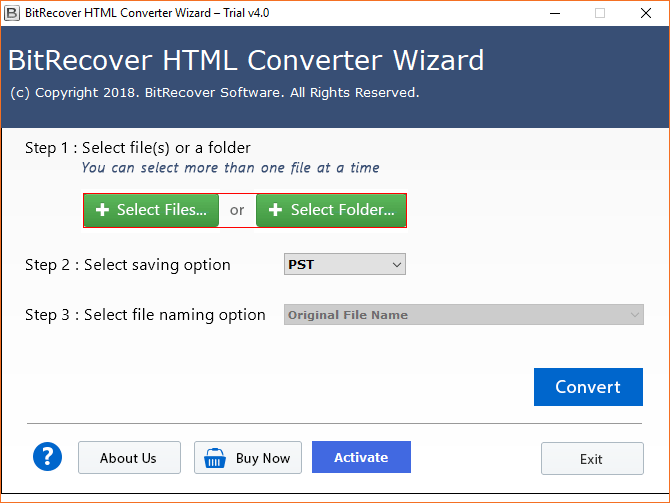
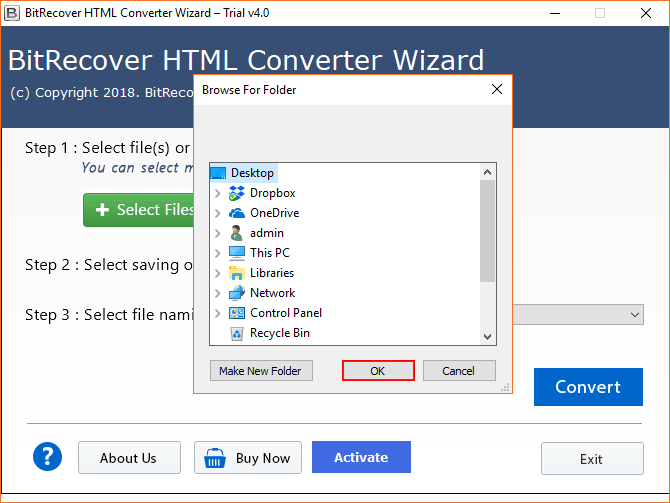
- Browse HTML files by hitting on Select Files or Select Folders option to convert HTML to EML file.

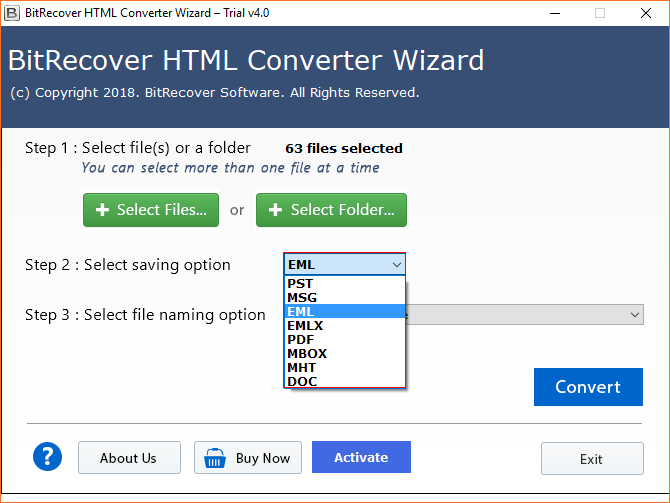
- Choose the EML option from the following list of savings options.
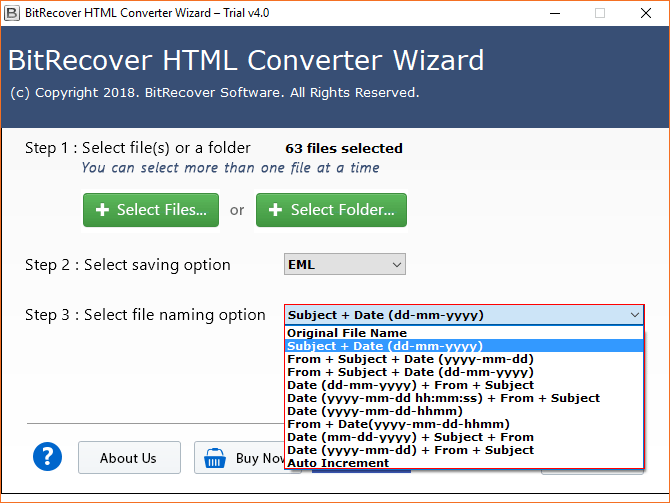
- Choose the File Naming Option, so you can select any of the various options.
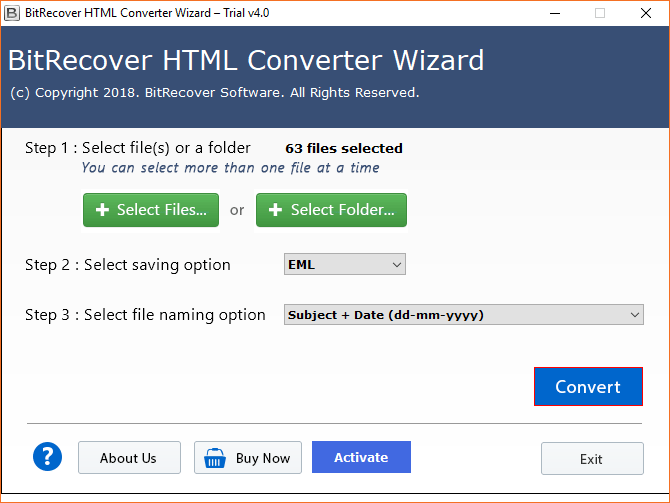
- Click on the Convert button and then quickly start the process to batch convert HTML to EML file.
- Now, choose the Destination Location to move further.
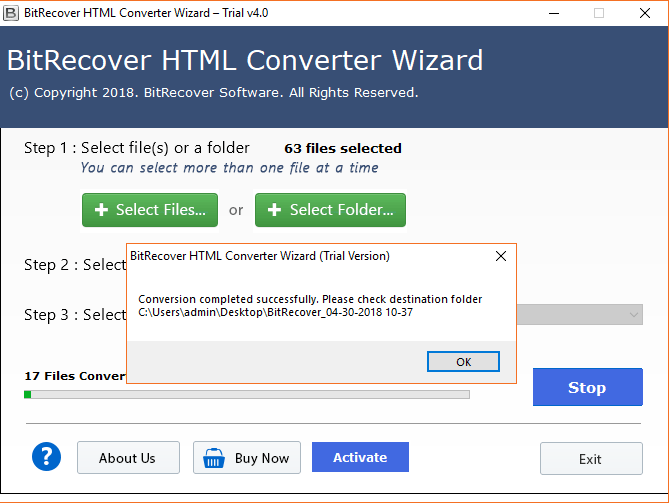
- The HTML to EML file conversion is running now, it will complete in a few seconds.

Bundled Features of This Best Tool
Here are the best features of HTML to EML Converter:
- Batch Conversion: The software allows users to quickly batch convert HTML email files to an EML folder without any data loss.
- Live Processing Report: This utility also generates a live conversion report to analyze the complete conversion process properly.
- Folder Hierarchy Maintenance: It is the simplest and fastest application to convert HTML to EML file format with a well-maintained folder hierarchy.
- Standalone Utility: This tool is an independent utility, and it does not require additional installation for the conversion.
- Various File Naming Options: It offers you file naming options that will help you to locate your data easily.
Key Advantages of Using EML Files
Here are the key advantages of using the EML Files:
- Digital Investigation: You can use EML files for Forensic Analysis to retrieve all the information from the email header inside the email.
- Safe Message Transfer: It is easy to send individual messages to the recipient without exposing all the data.
- Easy Email Access: This will make it easier for users to access emails anywhere through a browser on a laptop, mobile, or tablet.
- Portable Email Format: After the conversion of the HTML file to EML, a user can send an email as an attachment.
FAQs
Q1. Does EML file contain HTML?
An EML file contains the HTML content. Nowadays, most modern emails are created in HTML format because it allows users to use images, hyperlinks, colors, and rich text formatting. An EML file can store the whole email message, including the HTML body, sender, recipient, email headers, etc.
Q2. How to convert an HTML file to an email?
To convert HTML to email, you have to open the HTML file in a web browser, you have to copy the content, and paste it into a new email message in an email client. After creating the email, you can send the message directly to recipients or you can also save it as a draft for later use.
Q3. Is EML the same as HTML?
No, EML and HTML are not the same, they are different file formats. HTML is a web page format used to display content in a browser, whereas EML is an email file format used to store complete email messages. An EML file can contain the HTML content, but it also includes the email’s specific information, such as attachments, timestamps, and sender details.
Q4. Is there a way to convert an HTML file to PDF?
Yes, there are so many ways to convert HTML to PDF content. You can use the HTML to PDF Converter by BitRecover to convert the HTML files into PDF format. You just need to install the tool, select a file, or you can select the folder option, then you have to choose the PDF format from the options, select the destination to save the converted file, and click the convert button to start the process.
Q5. Best HTML to EML Converter?
If you are searching for the best HTML to EML Converter, then you should choose the BitRecover HTML to EML Converter. It is designed to convert the HTML files in bulk. This tool is safe and secure for your important data. This software is a standalone utility that doesn’t require the installation of another application to convert the HTML files.
Final Words
In recent times, users want to have access to their emails anywhere they want without any dependency. Therefore, users are continuously looking for an HTML to EML converter to convert HTML to EML file format. We have discussed the best solution to convert HTML to EML that will not let you face any data loss. If you have any queries, contact the support team, and they will assist you better with your query 24/7.
About the Author

