How to Export Asana to PDF Easily? Secure Methods
Fact-checked and reviewed in accordance with our Editorial Policy
Summary: The management of workflow processes associated with projects can be quite a challenging process. The possibility of changes in terms of pricing or conditions of service offered by the companies gives rise to different risks, thus making it essential to have backup of important data on project assignments. Manual replication of data and elaborate scripts operated by administrators may lead to problems of copying and formatting. The use of reliable solutions like BitRecover that allow you to export Asana to PDF file format gives a chance to have prompt, safe, and easy solutions to protecting important project timelines, messages with clients, and reports.
Reasons to Export Asana to PDF Format
- Keeps important projects in place regardless of external factors – like a customer’s account freeze, tweaking of some internal procedures, or automatic deletion of old files by the provider.
- To ensure that critical project milestones, task histories, schedules, and stakeholders’ information aren’t lost even if something unanticipated happens to the platform.
- Protects against the disappearance of important records, which usually happens due either to tight restrictions of the platform’s operations or new pricing policy changes that prevent access.
- Reduces reliance on a closed project management platform by allowing the client to import data, keep offline backups of some documents, project schedules and even change platforms if necessary.
How to Export Asana to PDF Seamlessly?
- Begin by logging into your Asana online account using your ID/Password.
- Click Projects option on the left sidebar and open the desired Asana project on the right-side.

- Click the small icon besides the project details to open a drop-down menu.
- Click Export or Sync option to open the export options sub-menu.
- Select either to export into CSV or XLSX format.


Export Asana to PDF Using Best Professional Tool: BitRecover
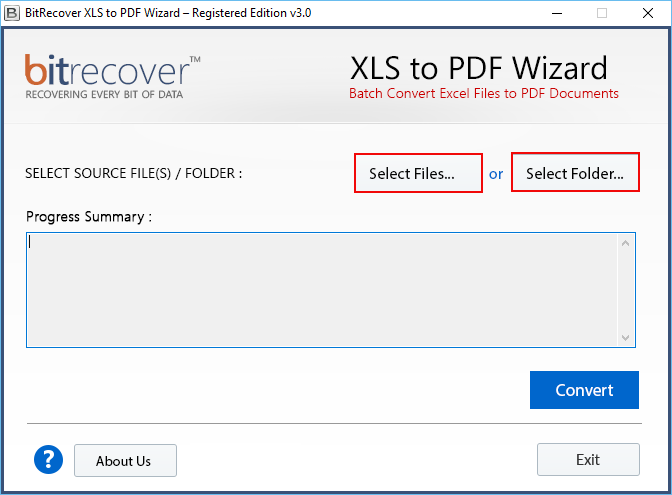
BitRecover Excel to PDF Converter is a great tool for users who want to convert their Asana projects, task lists, and project schedules into the PDF format. This software features state-of-the-art technology that preserves the task details, such as task descriptions, name of assigners, due dates, and project updates in its proper format. Being an independent program, it helps in working with the respective content seamlessly without being connected to the internet. This application is a perfect solution for users willing to use, save, retrieve, or manipulate information without the need to be online. The software has multiple advantages that make working with the software a piece of cake to perform complicated tasks.
Quick Steps to Convert:
- Download, install and launch the utility on your PC.
- Add Excel files that are required to be converted into PDF format.

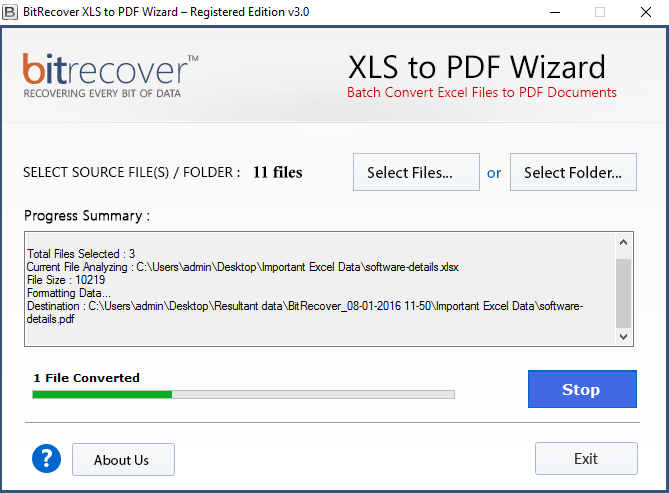
- Click Convert and you will see the completion progress bar.

- The converted PDF files will be saved on PC at the destination location.
Unique Features of the Tool
- Functions without requiring any connection to Asana.
- Holds the arrangement of task lists, project boards, schedules, and similar elements intact.
- Guarantees the compatibility of information due to the preservation of layout.
- The processing is efficient, solving issues associated with conversion and compatibility.
- Allows you to export numerous projects’ files or folders simultaneously in the Batch Mode.
- Is compatible with all the versions of Windows OS.
Conclusion
The significance of data accuracy and confidentiality cannot be overstated when it comes to handling project tasks and workflows. Therefore, the stated methodology should be carefully implemented for successful conversion of information and smooth functioning of all documents. Manual approaches are still used by many organizations for instant information transfer or duplication of Asana data in exceptional situations. However, it is far from being effective because of high level of complexity of Asana’s design and the number of boards. And thus, it is much more appropriate to use specialized programs like BitRecover that provide the best export solution for Asana data, instead of risking your documents and project information.
Questions & Answers
Q: What advantages are there in using automated methods to get data from Asana instead of traditional methods?
Automated methods bring several benefits. It saves time and saves documents from being lost. Plus no mistakes are made by a human worker.
Q: Will I be able to get my projects back along with their formats when converting Asana files to PDF files?
Yes, tools like BitRecover provide accurate conversion of the data exported from Asana and keep all necessary task descriptions, assignment data and structural formatting intact.
Q: Can I use converted PDF files on any platform or device?
Of course, due to the standardized PDF format, your project documents will be portable and easy to access on any device or OS without any need to have Asana.
Must Read: How to Export Asana Data to Excel Format?
About the Author

