Expert Solution to Convert Pegasus Mail to Thunderbird

Published: February 11th, 2026 • 4 Min Read
DIY Methods to Convert Pegasus Mail to Thunderbird
In this method, users need to follow multiple steps to export Pegasus Mail to Thunderbird. This process will not be easy for users and keep follow each step. If users miss any single steps they can lose Pegasus Mail data forever.
Method 1: Import Pegasus Mail to Thunderbird by IMAP Sync
- Open Pegasus Mail >> Go to Tools >> Choose Internet Option.
- Configure email account as IMAP, not POP.
- Click on “Save Settings.”
- Close & Restart Pegasus Mail.
- Drag n Drop emails or folders into IMAP folders.
- Wait for syncing and verify emails that show in Pegasus.
- Login same email account in Thunderbird.
- Wait a few moments, and Thunderbird will sync all emails automatically.
Method 2: Convert Pegasus Mail to Thunderbird without IMAP
If users don’t know about the IMAP settings, they can use this method. This solution is also fully free and works by exporting emails from Pegasus Mail into EML format and then importing files into Thunderbird.
- Open Pegasus Mail on your system.
- Choose mailbox you want to convert.
- Select emails by using CTRL & SHIFT.
- Drag and drop selected emails to folder on your desktop.
- Install & Open Thunderbird.
- Click on “Menu” and choose Add-ons and Themes option.
- Search “ImportExportTools NG.”
- Install add-on and Restart Thunderbird.
- Right-click on Local Folders and choose: — ImportExportTools NG → Import all messages from a directory → Also from its subdirectories.
- Pick folder to save EML files and click “Ok”.
Once this process is complete, Pegasus Mail emails now start showing in Thunderbird with attachments.
Expert Solution to Convert Pegasus Mail to Thunderbird
Install & use BitRecover Pegasus Mail converter tool to export any size of Pegasus Mail files into Thunderbird. There are no data size limitations or format issues to convert Pegasus Mail PNM, CNM to Mozilla Thunderbird. Within few mouse clicks, users can export Pegasus Mail mailboxes into Thunderbird. Download free version of this solution to learn more about the software.
Steps to Export Pegasus Mail to Thunderbird
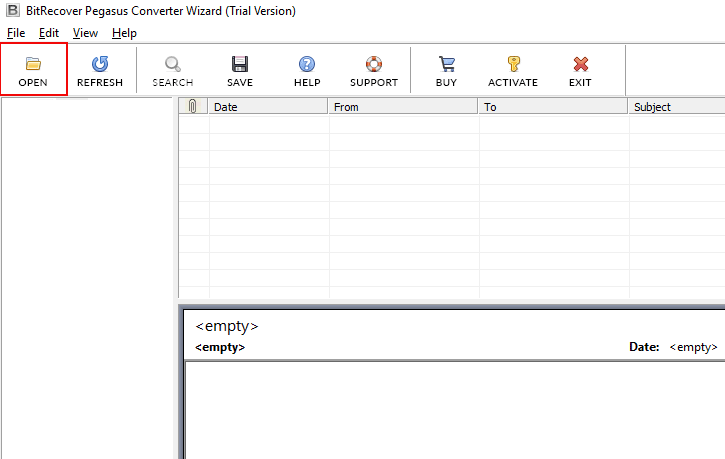
- Download or Install Pegasus Mail to Thunderbird Converter.

- Auto-load or manually select Pegasus emails or folders.
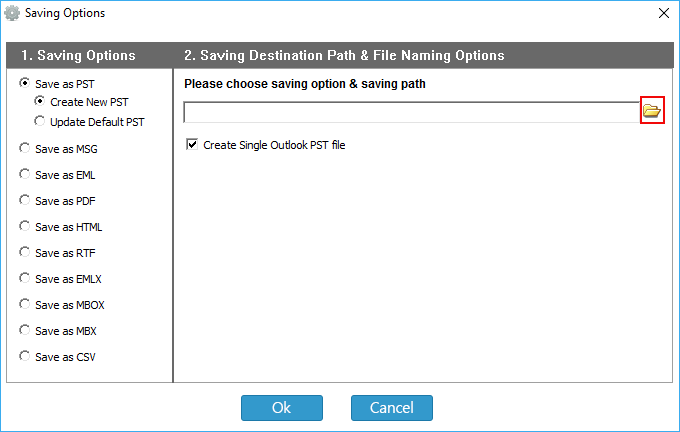
- Choose MBOX as saving option.

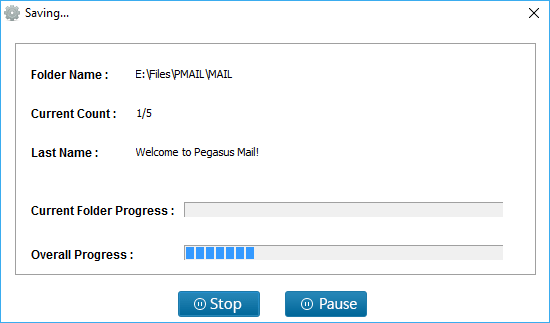
- Pick location and start conversion.

How to Load MBOX in Mozilla Thunderbird?
To import MBOX to Thunderbird account, users need to follow some steps: —
- Again Start Thunderbird.
- Use “ImportExportTools NG” add-on.
- Choose “Import MBOX Files” and click on “Individual MBOX Files” button.

- Browse converted Pegasus MBOX file from your computer & tap “Open” button.

- Check imported MBOX file under “Local Folder” in Thunderbird.


Premium Features of Pro Solution
- Quick conversion without depending on email clients.
- Time-saving procedure, unlike the manual method.
- Convert bulk of Pegasus Mails to Thunderbird.
- Easy-to-operate solution for technical and novice users.
- Advanced filter features for selective Pegasus file to Thunderbird conversion.
Time to Wrap Up,
In this blog, users will learn the 2 simple procedures to convert Pegasus Mail to Thunderbird. The first method is fully free but also time-consuming. Users need to install & setup Thunderbird, IMAP account, and more. Professional solution, direct export from Pegasus Mail to Mozilla Thunderbird. No technical hassle and easy conversion procedure. Choose simple solution to convert Pegasus Mail mailboxes into Thunderbird.