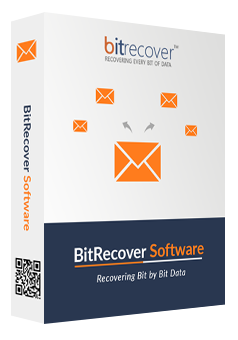
pdf merge wizard box

Screens

Video

Guide

BitRecover

PDF Merge Wizard

A modern and certified solution to bulk combine PDF files without any hitch or glitch. Successfully tested in IT labs for fast performance and professional data integrity. Turns out to be the experts’ first choice to bind PDF pages using advanced options.

  • Supports all sizes, types, and versions of PDF files.
  • Promises to keep the data safe, high-quality, and original.
  • Standalone and offline PDF merge tool for ease and efficiency.
  • Customizable output saving location for quick access.
  • Next-gen options for various PDF combining features in one place.

Industry-Recognized Solution

Our PDF file merger has been recognized by leading organizations across multiple industries.

Softpedia

Softpedia

Microsoft Marketplace

Microsoft Marketplace

software suggest

SoftwareSuggest

filecr

FileCR

cnet

CNET

advanced options for pdf merge

Smart, Advanced, & Powerful PDF Binder

A dedicated utility that covers all the user's needs to swiftly merge PDF files. It has 5 different advanced modes to manage the combined PDFs in an optimized, professional, and easy-to-access way. Have a look at these sophisticated options.

  • Create Table of Contents: Mentions each selected PDF file in a hierarchy.
  • Create PDF Bookmarks: Create a list to directly reach any specific segment.
  • Preserve Original PDF Quality: Does not compromise with output resolution.
  • Insert Separator Page Between PDFs: Add a blank page before the next PDF.
  • Skip Duplicate Images (Smart Detect): Remove the identical pages from PDF.

All PDFs. One Solution.

This capable PDF merge tool supports a wide range of PDF types, such as

standard pdf
Standard PDFs (1.7 or 2.0)

pdf a
PDF/A

pdf x
PDF/X

pdf u
PDF/U

pdf e
PDF/E

password protected
User-Password Protected

select required pdf

Preview PDFs for Precise PDF Merge

This PDF file combine tool gives a detailed preview of the selected PDF folders in an easy-to-explore hierarchy. It is the most helpful feature when the user needs to bind multiple PDFs precisely. Hence, it allows you to check and uncheck the PDF that you want to further combine or not, respectively. The notable benefits of this include,

  • This leads to a decluttered and organized output for immediate use.
  • Save system storage space by eliminating unessential PDFs.
  • Ensure accuracy, efficiency, and error-free PDF merge.

Who Needs This?

Don’t forget to get our PDF file merging tool if you are one of these:

Prime Features of Our PDF File Merger

Robust options to independently bind PDF pages for all-purpose use.

dual selection

Smart PDF Selection

The “Select File” and “Select Folder” options in this PDF merge software let the user browse the local paths and choose either the desired single PDF files or the entire PDF folders to combine as needed.

data authenticity

Maintain Data Accuracy

With a swift installation, BitRecover PDF Merge Wizard supports all the minor to major elements of the PDF file. From metadata and layout to multimedia, hyperlinks, and content, this powerful piece of software keeps everything intact.

destination path

Customizable Saving Path

Using the browse icon available in our PDF binder tool, one can select any location of the system drives or connected peripheral devices to directly save the merged PDF files there. This makes accessing and managing the output effortless.

tech friendly

No Technical Skills Needed

This PDF file combine tool has a very straightforward interface. Users do not need any technical knowledge, pre-learning, assistance, or a manual kit to run it. It is developed keeping every level of user and their understanding in mind.

offline pdf merge

Trusted & Offline Solution

This all-rounder tool promises complete data integrity, following strict security policies. The in-house development team eliminates the need for third-party interference. Also, it works completely offline and is certified as a virus-free utility.

log report

Process Completion Log

Once the PDF merging process completes, our tool shares a SavingLog.txt report. It contains the summary of current and previous combining drills using this tool. From selected advanced settings, date, and time to status, saving path, etc., it mentions everything in brief.

unlimited pdf merge

Unlimited PDF file Binding

With this PDF file combine tool, there is no limitation on file size or quantity. It is lab-tested and approved by IT admins, data analysts, and other professionals for its fast and bulk PDF merging capabilities in all situations possible.

customizable

Get It Customized for You

One of the noteworthy features of our PDF merge tool is that you can request any new feature in it according to your needs. For this, you just need to connect with our team and discuss your requirements for faster implementation.

windows supportive

Support All Windows OS

The effectiveness of the PDF merger software will be the same on any edition of Microsoft Windows Operating Systems. It is fully compatible with all Windows OS such as Windows 10, 8.1, 8, 7, XP, Vista, Windows Server 2019, 2016, 2012, and prior versions.

customer support

24x7 Customer Support

For your immediate help, we have a team of trained and experienced professionals who responsibly resolve all the queries. One can connect with us via live chat, email, phone, and even video conferencing, if required.
How to Merge PDF files Offline?

The ease of use is one of the trump cards of this PDF binder tool. It aims to cater to every user regardless of their technical knowledge, qualifications, or work needs. The simple and quick steps to combine PDF files using this tool are as follows:

  1. Download and run it on your device.
  2. Select the PDFs you want to merge.
  3. Browse and choose one saving path for output.
  4. Select the Advanced options accordingly.
  5. Click on Start to begin the PDF combining process.
pdf file merger
free pdf binder free demo version

Try and Test the Free PDF Binder Tool

Download and explore the powerful features of the best PDF file combine tool without paying a single penny in advance. This demo edition has the same interface and options as the licensed one, except for two limitations.

Thus, with the trial version of our professional PDF merge tool, you can only combine 5 PDF files, and also there will also be a watermark added to all the pages.

However, in the licensed version, there is no such limitation at all. The aim of sharing a free version is to let the first-time user test each and every option so that they can confidently rely on us for all types of PDF merging drills.

pdf merging services

BitRecover Certified Bulk PDF Merging Services

We, as a responsible IT company makes sure to assist our clients whenever they need. Hence, in large-scale, enterprise-level, or confidential scenarios, we also offer remote certified PDF file binding services.

In this, our trained engineers combine thousands of PDF files in a certified way on your behalf with zero downtime. Throughout the process, we guarantee 100% data originality and no breaches at all.

This makes our solutions shine among others in terms of security and services. Connect with our team today and opt for it for stress-free PDF merging.

Discuss Now

Technical Requirements for PDF Combiner Tool

Learn the basic specifications that one must know to run this utility.

Software Download

File Size: 49.3 MB

Version: 4.0

Trial Limitations

Only supports 5 PDF files to combine and also add a watermark on each page.

System Specifications

Hard Disk Space
50 MB of free hard disk space

RAM
Minimum 2 GB RAM

Processor
Intel® Pentium 1 GHz processor (2.4 GHz is recommended)

Supported Editions

Microsoft Windows – Windows OS 11 (64 bit), 10, 8, 7 (32 bit or 64 bit) & Windows Server 2022, 2019, 2016, 2012 R2, 2008, etc.

Electronic Delivery

Once the payment is successful, the BitRecover PDF Merge Wizard will be delivered automatically to your registered email ID. In that, you will get a product download link with the license activation key for immediate use.

Feature Comparison: Free vs Paid PDF Merger

Brief difference between our demo and licensed PDF file binder tool.
  •  
  • Specific PDF Select Options
  • Complete Attribute Support
  • Access to Advanced Options
  • Saving Destination Control
  • Security & Privacy of Data
  • 24x7 Customer Support
  • New Feature Customization
  • Batch PDF file Merging
  • Free
  • 5 PDFs with Watermark
  •  Download
  • Most Popular
    Pro
  • Unlimited PDFs
  •  Buy

Have Questions? We Got Answers!

Still want to know more about PDF merging? Have a quick read!

With the BitRecover PDF Merge Wizard, there is no need to depend on Acrobat or any other tool. This software independently binds bulk PDF files in one go.

Yes, merging PDFs saves storage space and boosts accessibility to bulk data in one file only. However, make sure that you rely on a professional tool otherwise, there might be chances of data loss and low-quality output.

With this PDF binder tool, there are no file size or quantity limitations at all. It is a certified solution to bulk combine unlimited PDFs without any hassle.

Simply, merge both the PDF files using a professional and reliable tool. This gives a single PDF file in which both documents are combined.

The BitRecover PDF merge wizard is the best desktop tool recommended by industry experts to merge unlimited large PDF files faster and safer than other tools.

User Opinions & Feedback

Read the user experiences with our PDF file binder tool full version.

Live Chat