












HTML Stripper box

Screens

Video

Guide

BitRecover®
HTML Stripper Wizard

Data engineers and developers frequently face the problem when removing HTML tags from text. This HTML tag remover software solves this issue as it allows them to strip tags from HTML files in bulk and saves processed data in readable plain text format.

  • Recommended to convert HTML to plain text format.
  • The easiest way to batch remove all tags from HTML code.
  • Runs 100% locally on Windows for total data privacy.
  • A standalone desktop app that requires no external tools or libraries.
  • Converts complex code arrays into clean and unformatted .txt files.

Secure Offline HTML Tag Remover

Run 100% locally on Windows for absolute data privacy

Stripped Output
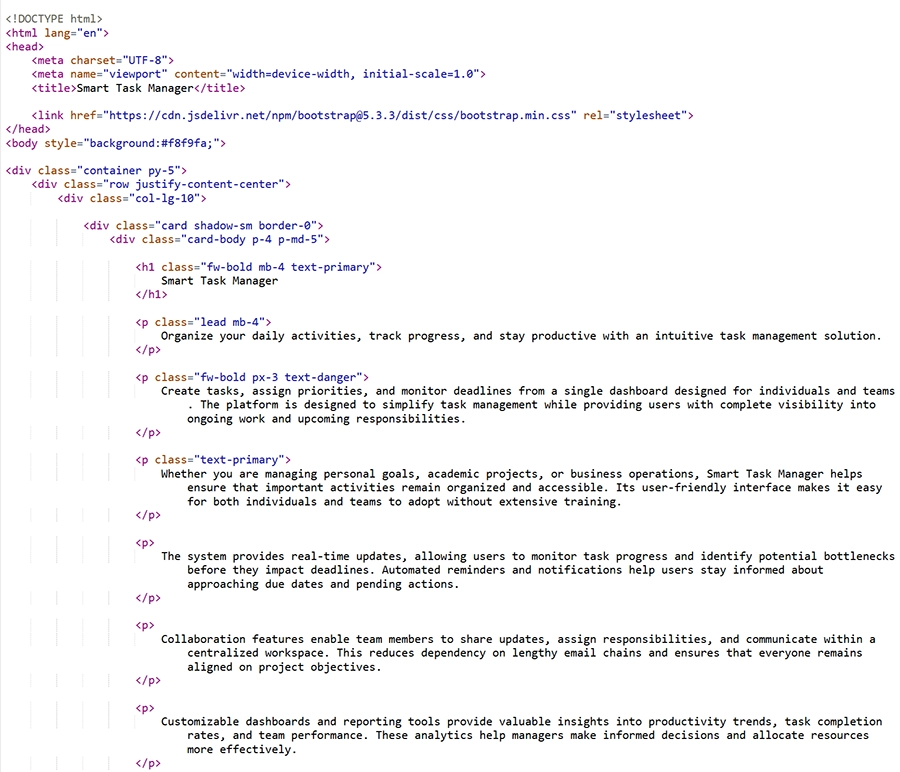
Raw HTML Code

What HTML Tags Can Be Stripped?

Remove all HTML tags and export your text to a clean, plain-text format instantly.

HTML Stripper Features

Explore powerful features designed to remove HTML tags from text

batch remove tags from html

High Speed Batch Processing

This HTML tag remover allows you to process thousands of files to strip HTML code from text. Hence, you can save your crucial time and effort; this is the main USP of this software. The tool permits you to add a whole folder with multiple files for HTML tag removal.

offline software

100% Local Offline Security

BitRecover HTML stripper wizard is an offline desktop-based application it means your confidential will be safe and secured during the process. While online browser-based applications first upload your data on their server then process, hence this is more safe and secure.

plain text output

Pristine Plain Text Export

After removing HTML tags from string, the tool generates clean and unformatted outputs. HTML stripper strips away every layer of complex layout and programming code. Also, it provides standardized plan text files that are ready for immediate system ingestion.

maintain actual text spacing

Smart Line Break Preservation

This HTML tag removal software maintains readability with actual text spacing. While other similar tools turn stripped code into a chaotic block of continuous text. It detects paragraph markings and line breaks to preserve your content readability in natural way.

standalone software

Zero Software Dependencies

BitRecover HTML stripper tool comes with self-contained desktop architecture that means this is a standalone software. The tool does not require any background environment and framework to remove all tags from HTML coding.

utf-8 compatibility

Supports UTF-8 Characters

HTML tag remover software preserves international languages and characters. So when you strip HTML code from text then it maintains multiple text encodings, symbols, letters and all characters with 100% precise way.

Use Cases

Discover what you can do with the HTML stripper

extract plain text

Extract Plain Text from HTML Files

Various users prefer to remove HTML tags from string to convert webpage to plain text files. This is beneficial for reports, documentation and content analysis process.

prepare data for AI

Artificial Intelligence Data Preparation

Data scientists and AI engineers regularly harvest massive amounts of text from web to train AI models. HTML tag removal tool is helpful to create datasets for different requirements.

move content

Simply Content Migration Projects

Sometimes enterprise IT teams want to move content from outdated custom platforms to WordPress. That is possible with this software because old text contains inline CSS, HTML, and proprietary formatting code.

website content archiving

Archive Website Content

Several website owners want to archive their websites’ contents for long term preservation to maintain historical records. This tool allows you to extract plain text from HTML files that are suitable for long term storage.

Working Video & Screenshots

Watch how to remove HTML tags from text using HTML tag removal tool

System Specification

Check System Compatibility Before Installing HTML Stripper Tool

Software Download

File Size: 5.7 MB

Version: 2.0

Trial Limitations

Free HTML tag removal tool permits to remove tags from small sized HTML files.

System Specifications

Hard Disk Space
50 MB of free hard disk space

RAM
Minimum 4 GB RAM

Processor
Intel® Pentium 2.4 GHz or above processor (Recommended)

Supported Editions

Microsoft Windows – Windows OS 11 (64 bit), 10, 8, 7 (32 bit or 64 bit) & Windows Server 2025, 2022, 2019, 2016, 2012 R2, 2008, etc.

Product Guides

Electronic Delivery

Once your payment is successfully confirmed. We will immediately email you the HTML tag remover download link with your secure activation key.

Trial Limitations vs. Full Version

Feature Comparison of HTML Stripper Wizard

  •  
  • Two ways to add HTML files
  • Select preferable destination path
  • Advance settings
  • Batch remove tags from HTML
  • Suitable for business use
  • Command line use
  • Price
  • Most Popular
    Pro
  • $29
  •  Buy

Got Questions? We Have Answers

Everything You Need to Know about HTML Tag Remover

HTML tag removal tool runs 100% locally on your Windows machine. It even works without an internet connection to remove HTML tags from string. In comparison, online tools require an internet connection and upload HTML files to the server, then process. Hence, you can understand that offline tools protect your data privacy.

Yes, BitRecover HTML stripper wizard supports batch processing. Hence, you can add a whole folder containing thousands of HTML files. After that, the tool will remove all tags from HTML files instantly.

Absolutely. The extraction algorithm does not strip structural brackets. It strips out all internal CSS style‚ JavaScript arrays‚ iframe windows, and all to produce the cleanest possible output with zero code bleed.

No, there is no size limitation to remove HTML tags from string. We have tested it under BitRecover lab with 1 GB HTML files and we got precise results.

Yes, HTML stripper software is built with universal UTF 8 character mapping support. So, it preserves international characters, multi-language scripts, and special symbols while removing tags from HTML pages.

Real Feedback from Real Users

Direct feedback for HTML stripper from our support tickets