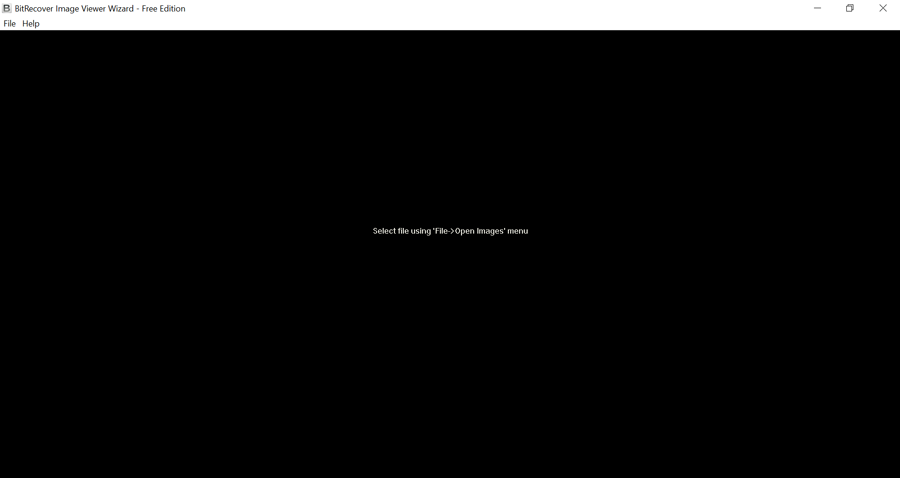

Thank you BitRecover developers for launching this freeware to open unknown image formats. I have downloaded this software to open digital camera images in my Windows PC even I was not aware of the file extension.
BitRecover
FREE Image Viewer
(Average Rating 4.8 Based on 1812 Reviews)
Download this freeware software to open all types of Photos having any file extension. View Images using multiple advance settings.
- Support JPEG, JPG, BMP, PNG, WEBP, TGA, GIF and TIF, TIFF, WDP, HDP, JXR, PEF, DNG, CRW, NEF, CR2, MRW, RW2, ORF, X3F, ARW, KDC, NRW, DCR, SR2, RAF, etc. picture extensions.
- 100% freeware Image Viewer for Windows PC that allows to open unknown image formats & Raw photos of different cameras.
- BitRecover Image Reader Tool offers several navigation option such as Previous, Next, Delete Photo, Zoom facility, Fit Image to Screen, Full Screen Mode, Rotate Image, etc.
- After getting a preview of picture, users can directly delete unnecessary images from software panel if required.
- This Raw Image Format Viewer has an isolated option to set your favorite photo as desktop wallpaper option.
- All Image Format Viewer has a separate option to print pictures on a Letter or A4 paper with advance settings i.e. Orientation, Size, Margins, Scaling Mode, Alignment, etc.
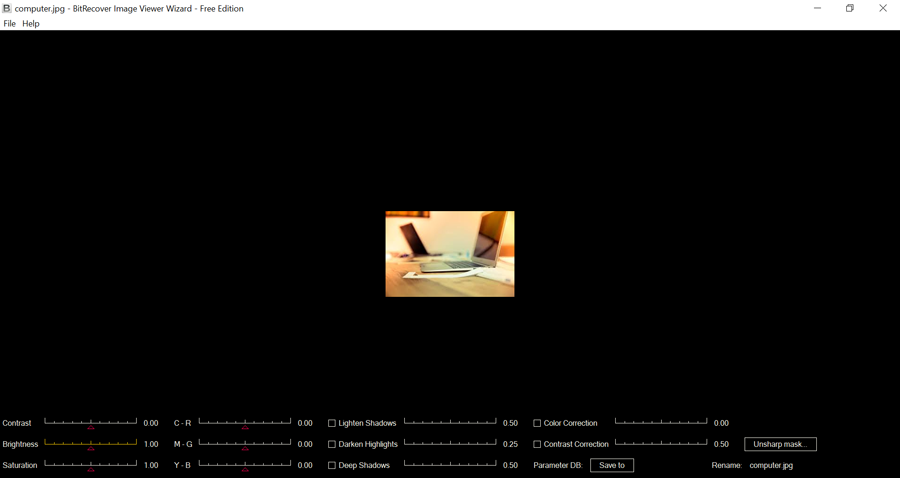
- You can read Raw image or standard image with different Contrast, Brightness, Saturation, Lighten Shadows, Darken Highlights, Deep Shadows, Color Correction, Contrast Correction, etc.
- After opening an image file from specific folder, users can use Next and Previous button for previewing all photos.
Why Image File Viewer
Some Reasons to Use This Software to Open Photos
After launching this software, BitRecover developers are trying to solve several user’s queries. There are several image extensions available but non-technical users don’t know about them. Before launching this software, the online market was fulfilled with Image Viewer tools that support limited image file extensions. One of the best feature of this software is that it permits to open any Image format as it is compatible with JPEG, JPG, BMP, PNG, WEBP, TGA, GIF and TIF, TIFF, WDP, HDP, JXR, PEF, DNG, CRW, NEF, CR2, MRW, RW2, ORF, X3F, ARW, KDC, NRW, DCR, SR2, RAF, etc. formats. If someone wants to convert Image files into other commonly used file extensions then he can easily upgrade it to pro edition. Pro edition of Image File Reader Software gives multiple saving formats such as PDF, JPG, JFIF, PNG, BMP, GIF, TIFF, EMF, WMF, PSD, WebP, etc.

Image Extensions
Image File Viewer Windows 10 is a well-suitable software that is compatible with multiple pictures extensions for example JPEG, JPG, BMP, PNG, WEBP, TGA, GIF and TIF, TIFF, WDP, HDP, JXR, PEF, DNG, CRW, NEF, CR2, MRW, RW2, ORF, X3F, ARW, KDC, NRW, DCR, SR2, RAF, etc. Users can easily read image text using this toolkit as it permits to open any image format.

Offline Toolkit
You can easily download this software on your Windows Machine after that will work offline that is also an important feature. Professional users don’t want to upload their crucial Raw images on the web so they always want to use offline software. Using this offline toolkit, users can preview unlimited pictures in the software interface even it permits to open unknown image format.

Corrupt Image
Raw Image Format Viewer is also designed to open corrupted or damaged image files. Our developers tested this software, in 99% cases, it successfully works with corrupted image file extensions. If your images got corrupted then you can read them using this Image File Format Viewer. The tool has an inbuilt advanced scanning feature that works automatically during opening the photos.

Virus Total Verified
After completion of the developing of this software, our developers have scanned it by Google’s Virus Total program. The setup EXE file of the tool is 100% safe from viruses means that the product is not harmful to your computer. During scanning the software EXE with Virus Total, it is showing a message like “No engines detected this URL”. Let’s enjoy this free tool.
Free Vs Pro Photo Viewer Software
Know What You Will Get in Pro Image File Viewer
View Different Extension Image Files Data
BitRecover All-in-One Image Viewer App is an excellent utility that is capable to read image text files, read raw images and open unknown image format extensions. It supports different image extensions so you can easily open any image format in the easiest way. Using this software, users can preview their pictures in different styles.

View Single
Photo

Open Multiple
Pictures
Read Raw
Images

Open 3D
Image
Read Images in Different Styles...
- Open single Image file.
- Read multiple Images.
- View Raw Photos.
- Open 3D Pictures.
About Pro Image Viewer Software
If you are a corporate user and looking for a software for completing your business requirement then you can upgrade to the pro edition. Pro Image File Reader Software provides various saving formats for storing the default photos in various commonly used file extensions such as PDF, JPG, JFIF, PNG, BMP, GIF, TIFF, EMF, WMF, PSD, WebP, etc.
Saving Formats in Pro Edition


JPG

PNG
BMP
Other Saving Formats

GIF

TIFF

JFIF

EMF
PSD
USERS EXPECTATION
Simple to use, user friendly image file viewer.
Read unlimited photos free of cost.
30 days money-back guarantee according to the policy.
Preview all components of photos.
Preview files in different styles
Creates SavingLog.txt file after ending of the task.
Previews live conversion progressive report in pro edition.
WHAT IMAGE FILE READER PROVIDES
Separate option for adding photos.
Multiple saving formats according to the choice of users.
Offers several navigation option .
Supports all types of Image files.
Browse destination path for storing the converted data.
Directly delete unnecessary images.
Option to set your favorite photo as desktop wallpaper.
Key Features of Image Reader
Know the software functionality to view Image files.

View Several Image Extension Files
This Raw Image Format Viewer allows to open image format having different file extensions such as JPEG, JPG, BMP, PNG, WEBP, TGA, GIF and TIF, TIFF, WDP, HDP, JXR, PEF, DNG, CRW, NEF, CR2, MRW, RW2, ORF, X3F, ARW, KDC, NRW, DCR, SR2, RAF, etc.

Different Navigation Options
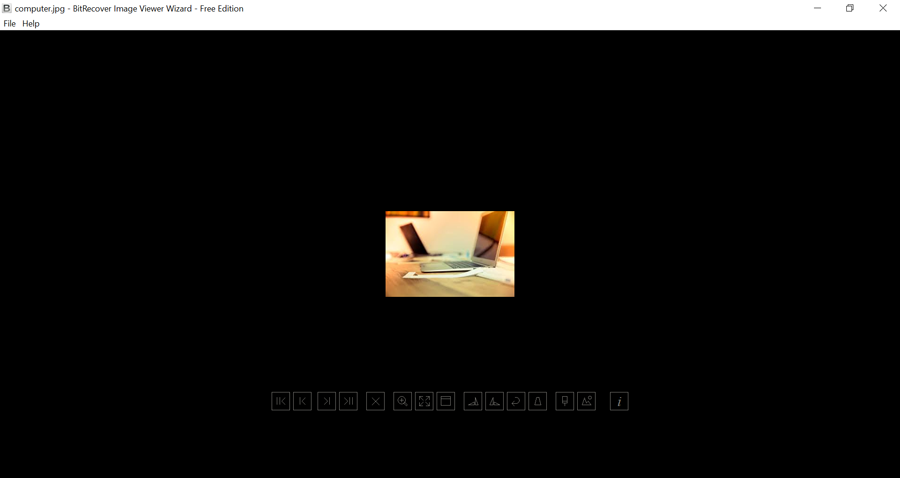
BitRecover Free Image Viewer offers various navigation options in software GUI such i.e. Show first image in folder, Show previous image, Show next image, Show last image in folder, Delete Image file, Zoom Mode, Fit to screen, Full screen mode, Rotate image 90 deg clockwise.

Different Preview Styles for Photos
This All Image Format Viewer Software gives several preview modes to opening the images i.e. Contrast, Brightness, Saturation, Deep Shadows, Darken Highlights, Lighten Shadows, Contrast Correction, Color Correction, etc. Users can easily adjust given parameters according to choice.

Rename Images from Software GUI
After uploading pictures in the software panel, users can see the rename option on the bottom side. Using this particular feature, users can easily rename a specific image and the image name will be changed at the desired storage location. In a few cases, it is the most important feature.

View Previous and Next Images Easily
Suppose, if you have uploaded an image in the software panel from a folder that has multiple images then you can use the Previous and Next button for previewing the pictures accordingly. This functionality is useful for most of the Raw Image Format Viewer users.

100% Freeware Image Viewer for Windows
All Image Format Viewer is a 100% freeware software that is available without any hidden charges. Using this utility, you can open unlimited images files free. It is a Windows OS-compatible software that supports Windows 11, 10, 8.1, 8, 7, Vista, XP, Win Server 2019, 2016, 2012, 2008, etc.
Image File Viewer Free Download
Know Minimum System Specifications to Download & Use the App with Ease
Software Download
Take a Trial - Download the tool to view images of different file extensions without any limitation.
File Size : 1.58 MB
Version : 1.0
Trial Limitations
There is no trial limitation, Image File Reader Software is authenticated to open any image format and raw pictures free of cost. However, corporate users can upgrade this toolkit for getting the business-centric features.
System Specifications
Hard Disk Space
5.0 MB of free hard disk space
RAM
Minimum 2 GB RAM
Processor
Intel® Pentium 1 GHz processor (2.4 GHz is recommended)
Supported Editions
- Microsoft Windows – Windows OS 11 (64 bit), 10, 8, 7 (32 bit or 64 bit) & Windows Server 2022, 2019, 2016, 2012 R2, 2008.
Comparison of Free & Pro Version
Feature Comparison of Image Viewer for Windows PC – Free and Pro Version
Features |
Free Version |
PRO Version |
|---|---|---|
| Load Image Files |
|
|
| View Image Components |
|
|
| Open Unlimited Image files |
|
|
| Windows 11 & All Other Previous Windows Version Supported |
|
|
| Export Options | No | Yes, Multiple |
| 24*7 Tech Support & Secure 100% |
|
|
| Cost | FREE |
$29 |
Frequently Asked Questions
Commonly Asked User's Questions and Answers
Follow these simple steps to open any image format.:
- Start BitRecover Free Image Viewer on your Windows Machine.
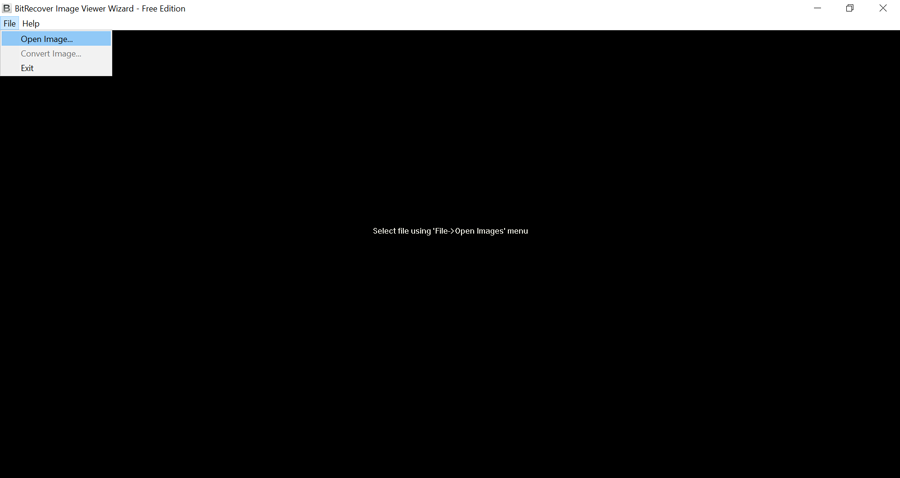
- Choose Open Image option from the File menu for uploading an image.
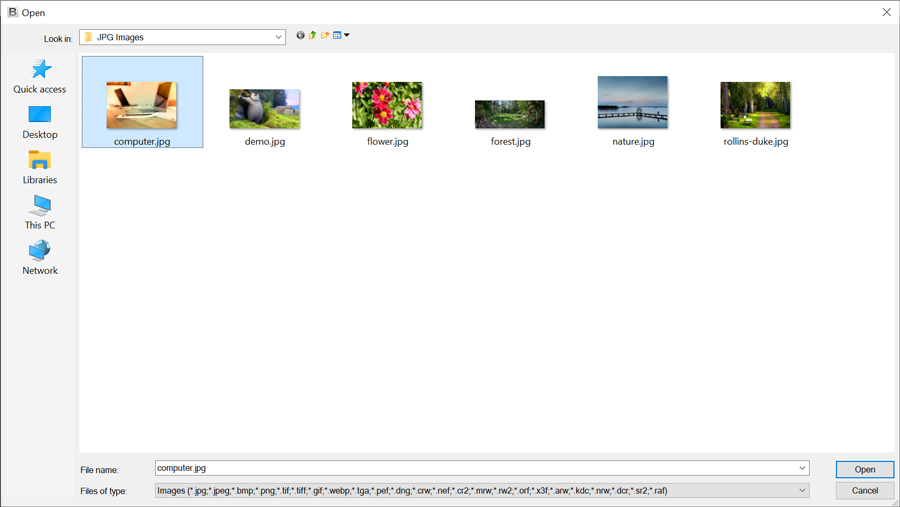
- Select a picture from a specific folder and click on the Open button.
- Now you can view your image in the software GUI with Navigation options.
Yes, of course, it is an advanced product that supports all types of Raw image formats so don’t worry.
Choose only one image from a whole folder for uploading in the software panel and after that use Next or Preview button for opening images one by one.
Yes, the tool is consistent with several image extensions such as JPEG, JPG, BMP, PNG, WEBP, TGA, GIF and TIF, TIFF, WDP, HDP, JXR, PEF, DNG, CRW, NEF, CR2, MRW, RW2, ORF, X3F, ARW, KDC, NRW, DCR, SR2, RAF, etc. You can easily view CRW photos using this application.
No, this mentioned utility is specially launched for previewing only healthy image files. But you can download BitRecover JPEG Repair Wizard to repair & preview corrupt JPG photos.
Raw Image Viewer — Client Reviews
Learn What Our Satisfied Clients Say About This Software

USA
England
I have tested many Image file viewer tools but this one is my favorite because it supports most of the image extensions and it works offline without internet connectivity.
Belgium
Na het downloaden van deze gratis Image Viewer, voel ik me erg aardig, eigenlijk heb ik een paar belangrijke functies in deze tool, d.w.z. Foto verwijderen, Afbeelding hernoemen en Volgende en Vorige afbeelding faciliteit.

New York
Being a professional photographer, recently I have used this freeware image viewer software. According to my point of view, the best feature of this software is that it supports a huge number of graphic formats. Hence, if you are unable to view all kinds of images then go with this utility.