How to Transfer Emails from Rogers to Yahoo Account?
Fact-checked and reviewed in accordance with our Editorial Policy
This article shows the complete step by step process to transfer Rogers email to Yahoo. If you are a Rogers mail user and want to switch to Yahoo, then you are at the right place.
In this article, we will go over all the steps involved in migrating your email from Rogers to Yahoo in a clear and simple manner. We can help you migrate all important Rogers emails to Yahoo, or you can move your entire mailbox at once to avoid the risk of losing your data during the process.
Benefits of Moving from Rogers to Yahoo Mail
When moving from Rogers email to Yahoo mail, there are many benefits to consider:
- Access your emails from anywhere, anytime, provided there is a stable internet connection.
- Having an easy-to-use interface that is user-friendly and easy to navigate.
- A larger storage capacity for emails than what you would have on Rogers email.
- Ability to take advantage of Yahoo’s advanced spam filtering and security features.
- Ability to easily organize emails with folders and filters.
- Access additional features, including integrated calendar and contact support.
- An email service that is reliable and is used all over the world.
- Being able to manage more than one e-mail account in one location.
Ways to Transfer Rogers email to Yahoo
There are multiple ways to migrate emails from Rogers to Yahoo account. Some beginners first try to make the switch manually. Therefore professionals use secure third-party tools. One famous tool, preferred by professionals is BitRecover Email Backup Software. This software is highly recommended by most of the experts worldwide when they want to move emails from platforms like Rogers to other accounts like Yahoo Mail.
We have discussed all the ways steps by step below.
If you want to transfer Rogers email to Yahoo then follow these methods:
How to Switch from Rogers to Yahoo Manually?
To migrate Rogers email to Yahoo, you can forward emails automatically, configure both accounts to use IMAP on a desktop email client, or use a tool.
You cannot migrate the entire mailbox with a single click without using a dedicated third-party tool.
However, if you have a few emails to move from Rogers to Yahoo then you can simply forward new incoming emails or use IMAP method to move existing emails and folders.
1. Automatic Email Forwarding (For New Emails Only)
- Sign into your Roger’s Yahoo Mail Account.
- Go to Settings, More Settings, then click on Mail Boxes.
- Click on Primary account, and click on the Forwarding field to add your new yahoo email.
- Check email to confirm forwarding request from your new yahoo account.
2. Desktop Email Client Method (Using IMAP: For Existing Emails)
You can transfer Rogers email to Yahoo Mail by using an email client (like Outlook/Thunderbird).
- Set up your Rogers account in your email app using IMAP settings (Incoming Server: imap.mail.yahoo.com, Port: 993).
- Add a Yahoo account to your email app.
- Drag and drop folders/emails from your Rogers account to your Yahoo account).
Overall Limitations of Manual Methods
- Can’t transfer an entire mailbox at once with one click.
- Time-consuming for larger accounts.
- Risk of data loss if the transfer is interrupted.
- Requires multiple steps to transfer emails, folders and contacts.
- Not suitable for users without technical ability.
Because of these disadvantages, many people will use a professional tool for faster and more secure transfers of Rogers email to Yahoo.
How to Transfer Emails from Rogers to Yahoo Directly?
Note:- Take a trial of Rogers to Yahoo Converter tool. It is completely free of cost and will give you the facility to check the tool’s features and working. Upgrade to the license keys to convert unlimited Rogers email to Yahoo.
- From the list of email sources list, choose Rogers mail and enter the account details of Rogers account like email address and password. Press on the login button to proceed towards the next step.
 Please Note! If you have multiple Rogers accounts and want to convert multiple Rogers email account to Yahoo mail. Then, enable the Use Advance Mode option to do this conversion.
 - After you login, the tool will automatically fetch all the mailboxes from Rogers webmail. Now, just check only on those email folders whose data you want to migrate into Yahoo mail.

- Thereafter, select Yahoo as saving option from the software.

- Enter the login details of Yahoo mail. Hit on the backup button to start to export Rogers messages to Yahoo account. The tool will start the processing and will end after some time.

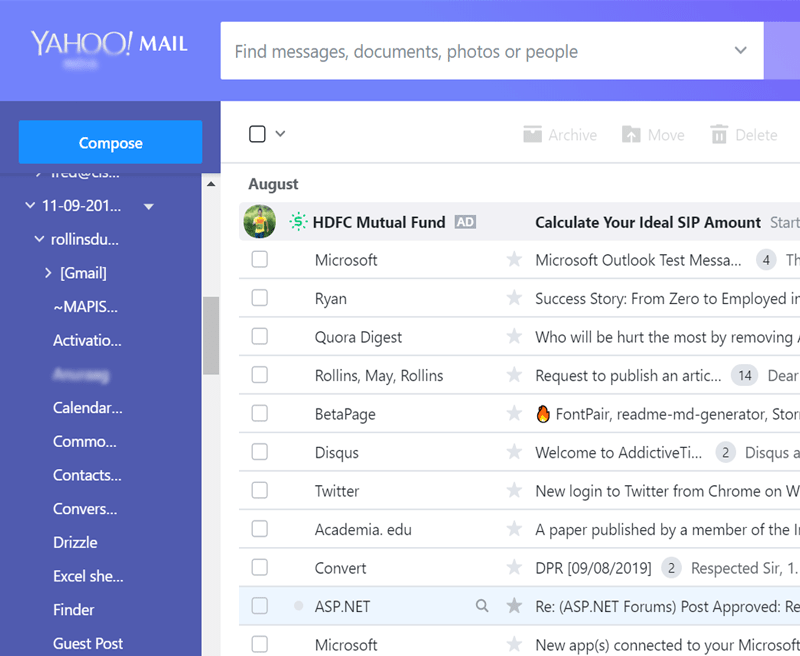
- Open you Yahoo mail account to view all messages from Rogers mail.

 Please Note! If you have multiple Rogers accounts and want to convert multiple Rogers email account to Yahoo mail. Then, enable the Use Advance Mode option to do this conversion.


Key Features of Rogers to Yahoo Converter
- Direct and fast conversion: The tool facilitates to direct transfer emails from Rogers to Yahoo account. The user just needs to fill the account details of Rogers webmail for login purpose. Without any complications, the utility will instantly convert Rogers email to Yahoo.
- Selectively convert Rogers to Yahoo: The software lets you transfer Rogers email to Yahoo selectively. You can also use the advance mode option to filter out the emails as per date range, subject, email address, etc.

- Preserves internal folder hierarchy:- It assures to maintain the folder structure of Rogers email while transferring messages from Rogers to Yahoo account. The tool keeps intact all the email properties like attachments, Cc, Bcc, Subject, from, inline images, hyperlinks, etc.
- Simple and easy to understand:- The tool has a quite easy and understandable GUI. So, any technical or novice user can access the application for switching from Rogers webmail to Yahoo account.
- Advance Mode option:- This feature enables user to migrate data of multiple Rogers account to Yahoo mail. The user just need to add the login details of Rogers mail in a CSV file and thereafter upload it.
- Batch transfer Rogers to Yahoo:- The users having large number of mailboxes in their Rogers account can easily batch transfer emails from Rogers to Yahoo in a single processing. So, you can manage large data for conversion effectively.

Time to Conclude
In this blog post, we have described how to transfer Rogers email to Yahoo account. The entire migration of data from Rogers webmail to Yahoo is safe and easy to understand. There are no bugs or errors associated with the application. So, one can effectively handle this utility without any trouble. For more doubts or queries, please keep in touch with our technical support team.

About the Author

