How to Repair Corrupted Raw Photos: Quick & Easy Guide
Fact-checked and reviewed in accordance with our Editorial Policy
Have you ever clicked a perfect photo and found out that you need to repair corrupted raw photos? It can be frustrating sometimes, particularly when you invested time in taking those perfect shots. Corruption of raw photos has become common, but the good news is that there are some effective ways to repair corrupted raw photos online and recover your valuable images.
In this guide, we will learn everything you must know about how to fix corrupted raw photos. We will first know about a quick and reliable solution using raw photo repair software, know why users repair damaged raw photos and then explore some manual methods and its limitation, followed by introducing the features and steps to use professional repair tools to get your photos back.
Quick Solution: Fix Corrupted Raw Photos
Let us keep this point clear in our minds that manual repair methods can be time-taking and technically challenging. If you want a quick and reliable solution to repair corrupted raw photos, then many users prefer JPG Repair Wizard by BitRecover, this is a specialized tool built to fix corrupted raw image files like raw formats. The tool scans your damaged raw file and reconstructs the corrupted data using advanced algorithms. It can be easily used by users with a non-technical background.
Why Do People Want to Repair Corrupted Raw Photos?
Given below are some reasons for raw image corruption that can help users avoid similar issues in the future.
- Original image quality and editing flexibility are preserved in raw photos. Losing these raw images means losing both.
- It can affect the work and income for professional photographers. Corrupted images lead to unhappy customers and affect your reputation.
- Some moments like weddings or travel moments cannot be captured again. Recovering. Saving even a part of a raw image is better than losing it entirely.
- Raw photos take a lot of space and losing many of them can be a huge loss. Recovering can help you protect your important photos and effort.
- If a raw file gets corrupted while you’re spending hours editing, repairing it is easier than starting over with a JPEG.
How to Repair Corrupted Raw Photos Manually?
If you want to repair damaged raw photos after recovery using manual methods, you can try these two methods mentioned.
Method 1) Recover the Embedded Preview Image and Compare Files
If your RAW photo does not open, then you can try recovering the preview image saved inside the file. Many raw files have a built-in JPEG preview that may still work even if the main image is corrupted. If it doesn’t work, then try repair methods that fix corrupted raw photos using a healthy raw photo from the same camera as a reference.
Point to Note: This method does not always bring back the original raw photo in complete quality. Sometimes users can only recover a preview image with limited editing options. If the part of the raw photo is extremely damaged or missing, then recovery may not be possible.
Method 2) Run a Disk Error Scan for Storage Issues
If raw photos cannot be accessed because of storage issues, then you can scan the drive or SD card to check for errors. You can use Command Prompt to find and resolve bad sectors. After the scan is completed, restart your system and check if the raw photos open properly.
Point to Note: This method works only when corruption is caused by storage issues, not damaged raw file data. Scanning a corrupted drive several times can make the challenges worse and certain corrupted images may still be inaccessible.
Why Professional Raw Photo Repairing Software Works Better
These manual methods may not resolve raw photo corruption. Using software like Raw photo repair software is the best choice as it is a reliable solution with advanced features designed for raw photo repair.
- Batch RAW Processing: Repair several corrupted raw photos at the same time including complete folders. It saves a lot of time compared to fixing images one by one.
- Thumbnail and Metadata Recovery: Users can easily recover thumbnails and photo details from corrupted raw photos to save as much as data possible.
- Advanced Raw Scanning Engine: Users can quickly scan and check different types of Raw file corruption including damaged headers, metadata and broken data.
- Original Photo Protection: Your repaired photos are saved separately and original raw photos stay safe and unchanged.
- Corrupted Raw Photo Recovery: The software repair corrupted raw photos from digital cameras. It supports formats such as ARW, CR2, DNG, NEF, RAF, ORF and RW2 while preserving original image quality.
- Professional Raw Format Support: The tool supports raw formats from major camera brands like Canon, Nikon, Sony, Pentax, Olympus and Fujifilm.
- Detailed Photo Preview: Users can preview raw photos before and after repair to check damage and verify recovery results.
- Wide Camera Compatibility: The software supports raw photos from Canon, Nikon, Sony, Fujifilm, Olympus, Pentax and many other cameras.
Step-by-Step Guide to Use Raw Photo Repair Software
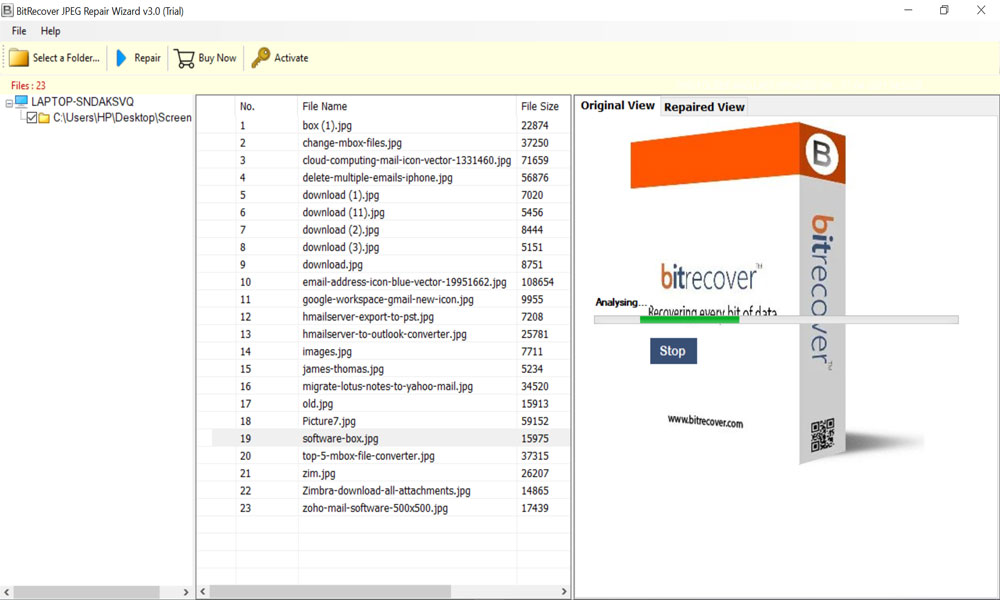
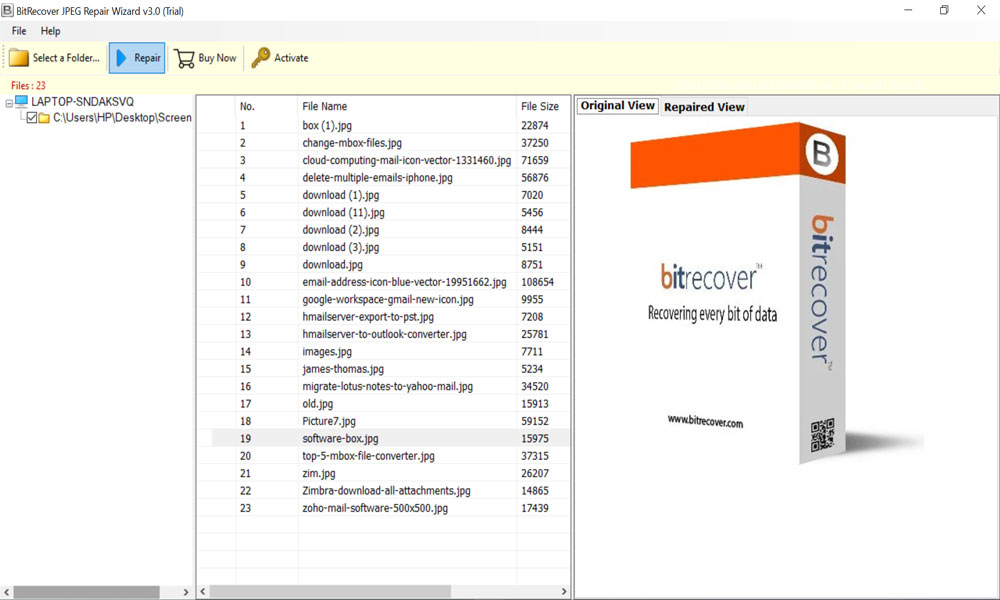
- Simply launch the software and add the folder with corrupted Raw file.

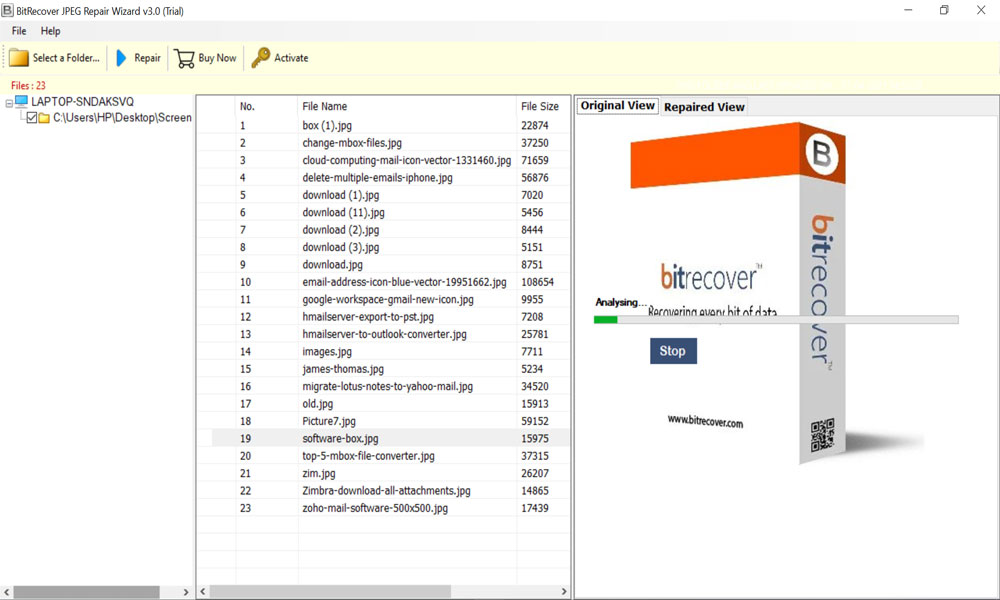
- Now, preview raw files and check the damaged file.

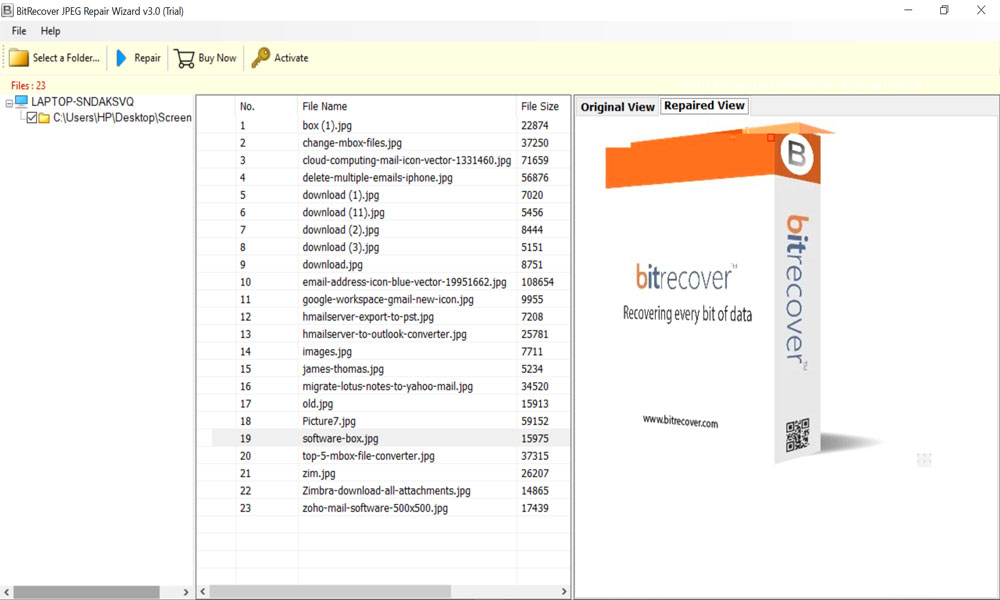
- After the repair, user can preview the JPG in original view
- The software let’s you preview the repaired image in separate window.
- Click the Repair button to fix corrupted raw file.
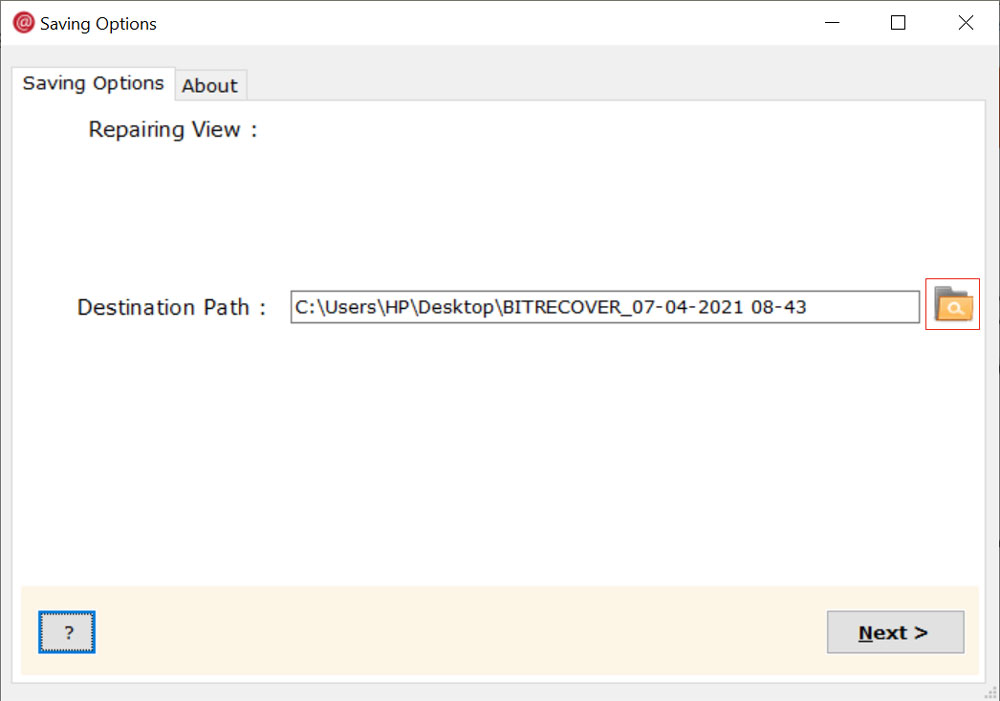
- Choose a destination folder and click Next.

- Click Next button to begin the process.
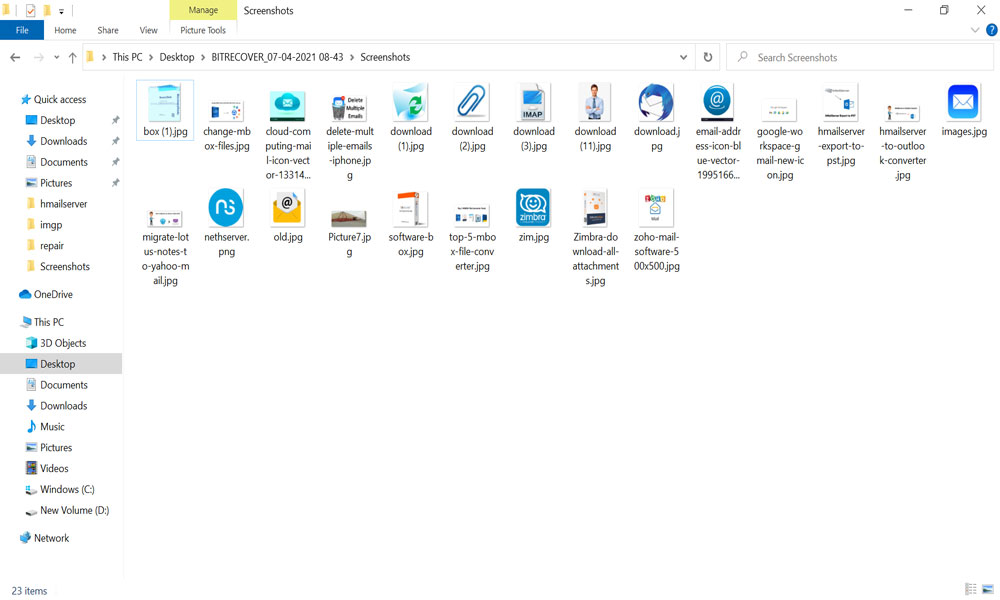
- Finally, it open the destination folder automatically and can access output JPEG files easily.


Conclusion
Corrupted raw photos do not always mean permanent loss. Users can try manual methods such as preview extraction or disk, these are free but may not always work. If you want a quick and safe option, use professional software like raw photo repair software to repair corrupted raw photos. It will simplify the whole process. If you keep backups in multiple places, this helps avoid future data loss. Your photos are valuable, so use the right method to recover them safely.
About the Author

