How to Extract Attachments from Outlook Email Client?
Fact-checked and reviewed in accordance with our Editorial Policy
Hi Microsoft Outlook users, are you looking for Outlook Attachment Extractor Tool to extract attachments from Outlook emails? If you are thinking absolutely yes, then don’t worry! In this write-up, BitRecover Software is suggesting the 3 most effective ways to bulk export attachments from Outlook 2024, 2021, 2019, 2016 etc.
In this web tutorial, we will explain the 3 different methods to extract Outlook attachments. Some home users have the desire to export all attachments from Outlook manually free of cost. Sometimes users don’t want to invest in any Outlook PST Attachments Extractor Software.
Due to user concerns, we are suggesting both manual and professional Outlook Attachment Extractor to collect all attachments from Outlook desktop-based and web-based email applications. Moreover, you can click on any mentioned method and scroll down to begin to extract all attachments from Outlook PST file.
User Concerns about Bulk Export Attachments from Outlook
Hi BitRecover Support Team, I am sending this email because am looking for a solution to bulk export attachments from Outlook to an external hard drive. Note that I am currently using Microsoft Outlook 2019 edition and I need to extract my attachments having *.pdf, *.doc, and *.ppt file extensions. Please suggest me an easy-use and reliable Outlook Attachment Extractor Tool to extract Outlook attachments from multiple email messages.
– Jodie Garner
I am using the web-based Microsoft Outlook program for the past few years. I am a technical content writer in an IT company and I have written thousands of technical articles and sent them to my clients using my Outlook.live.com account. I want to download attachments from multiple emails in Outlook because I want to take some content writing ideas. Please recommend to me a method to extract attachments from Outlook emails to a local pc.
– Nicholas, Foster.
Manual Way to Export Outlook Emails Attachments
- Start the Microsoft Outlook email application.
- Choose the email folder from which you want to get attachments.

- Scroll down and if the email has attachment(s) then the Attachment icon will appear.

- Open the email that has attachments.

- Now select attachments and choose the Save As option.

- Browse to the destination path to store the Outlook attachments.

- Go to the destination path and get exported attachments.

- Open another email and repeat the same steps again.


Limitations of Using Manual Methods
- Majority of traditional methods do not support the extraction of attachments in bulk, forcing users to spend hours on extracting attachments individually and opening them to human errors.
- Does not guarantee of sustaining data integrity while extracting attachments which could lead to files with incomplete information or misaligned content.
- Due to human prone errors, the same attachments can be extracted more times, leading to duplication without notifying the user about it.
- Some of the manual methods tend to strip away partial information from the document like subject, sender’s details, date, along with the original hierarchy.
- Another limitation faced by users using manual methods is that it degrade and downsize the attachment losing the original quality of the content which further leads to substantial crashing and freezing mid-process.
- Not suitable for professional purposes due to lack of metadata preservation, accuracy, and incomplete audits.
Use the Professional Outlook Attachment Extractor Tool
BitRecover PST Converter Wizard works as the best Outlook Attachment Extractor because our developers have already added the functionality to extract attachments from Outlook automatically.
Moreover, this all-in-one software is compatible with both Windows as well as Mac OS Computer users. With its help, you can bulk extract attachments from PST files without Outlook installation.
Steps to Extract Attachments from Outlook
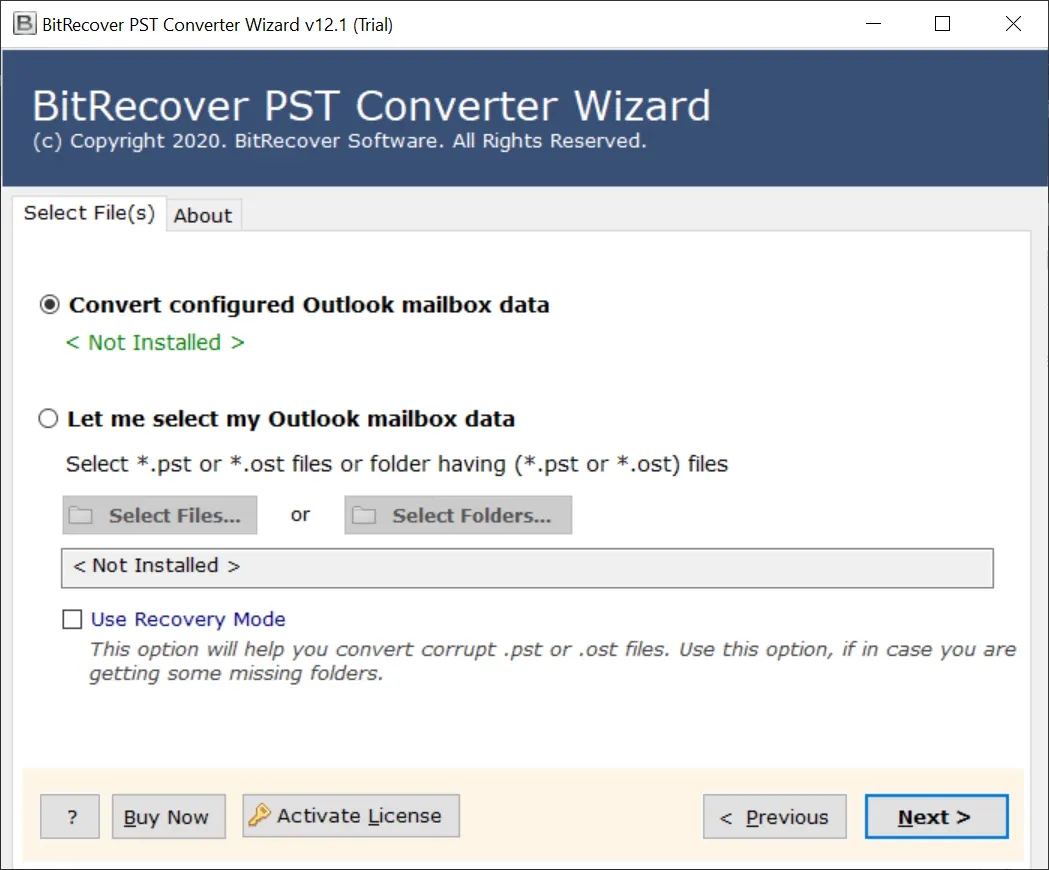
- Start the Outlook Attachment Extractor Tool and read the guidelines for completion.
- Now add Outlook data files to the software GUI using manual and automatic options.

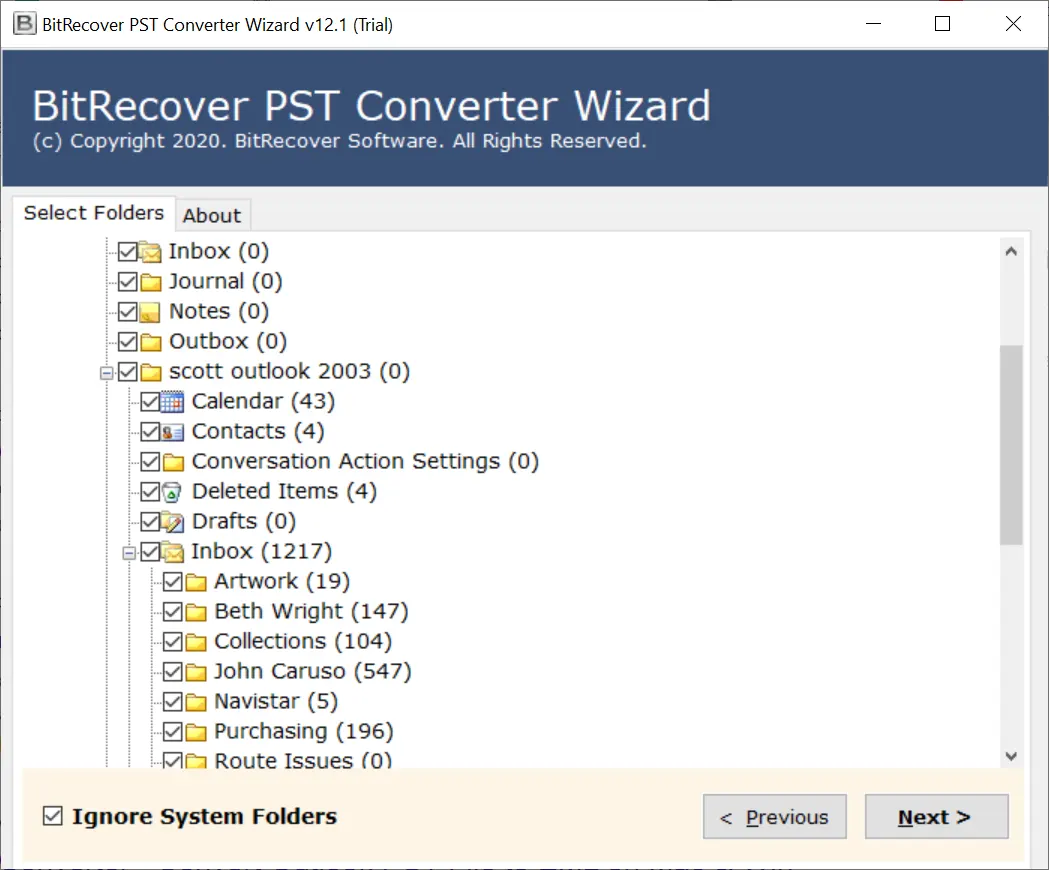
- Select the necessary folders where you want to extract Outlook attachments and press Next.

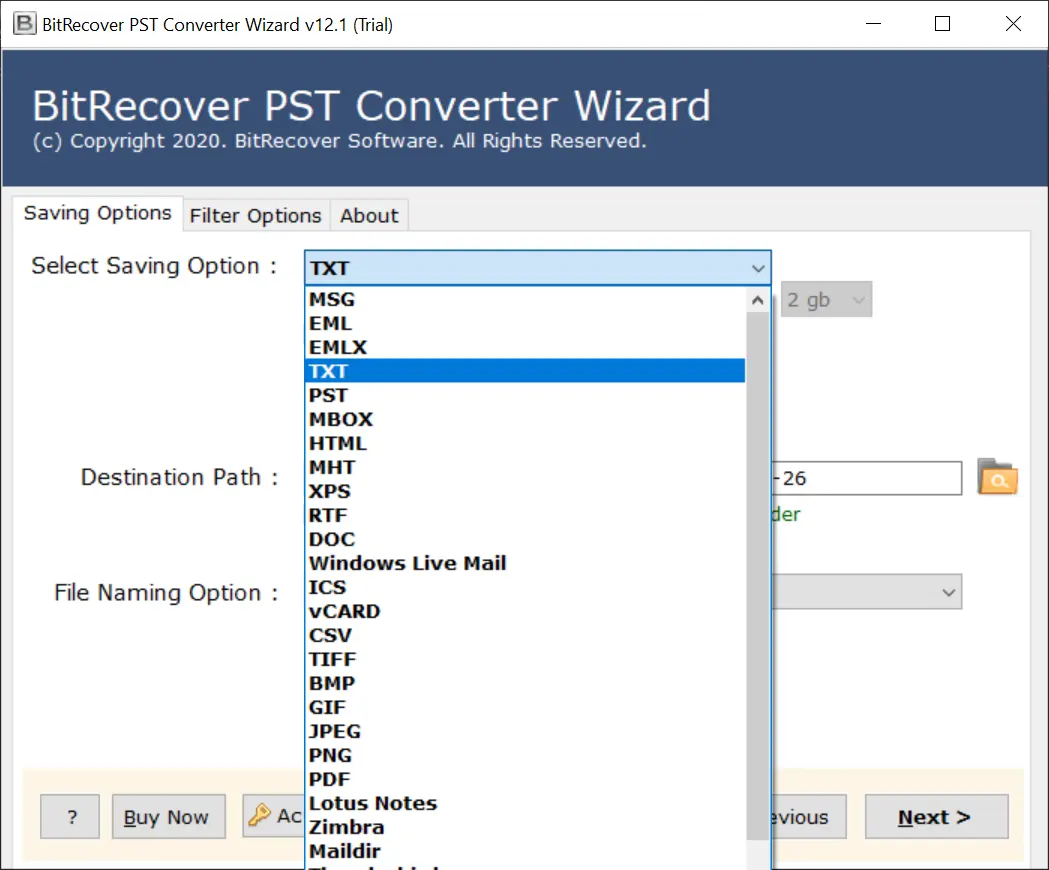
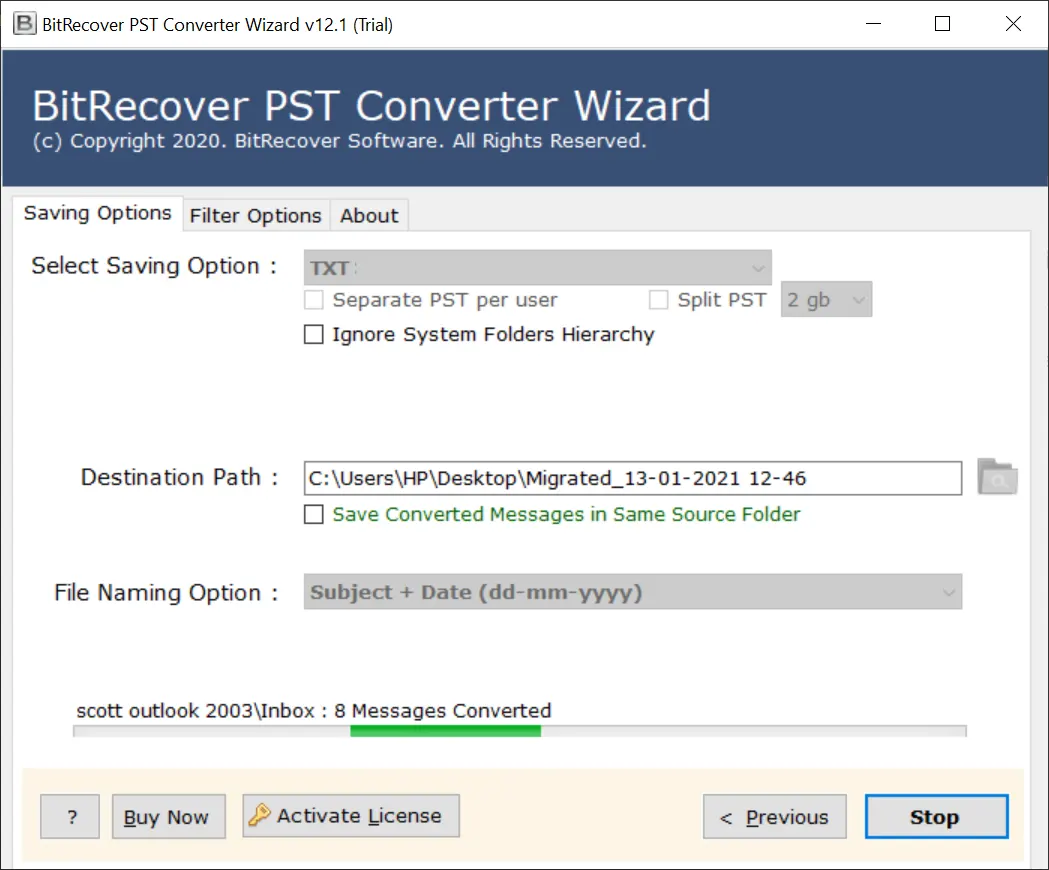
- Afterward, choose TXT as a saving option from the available list.

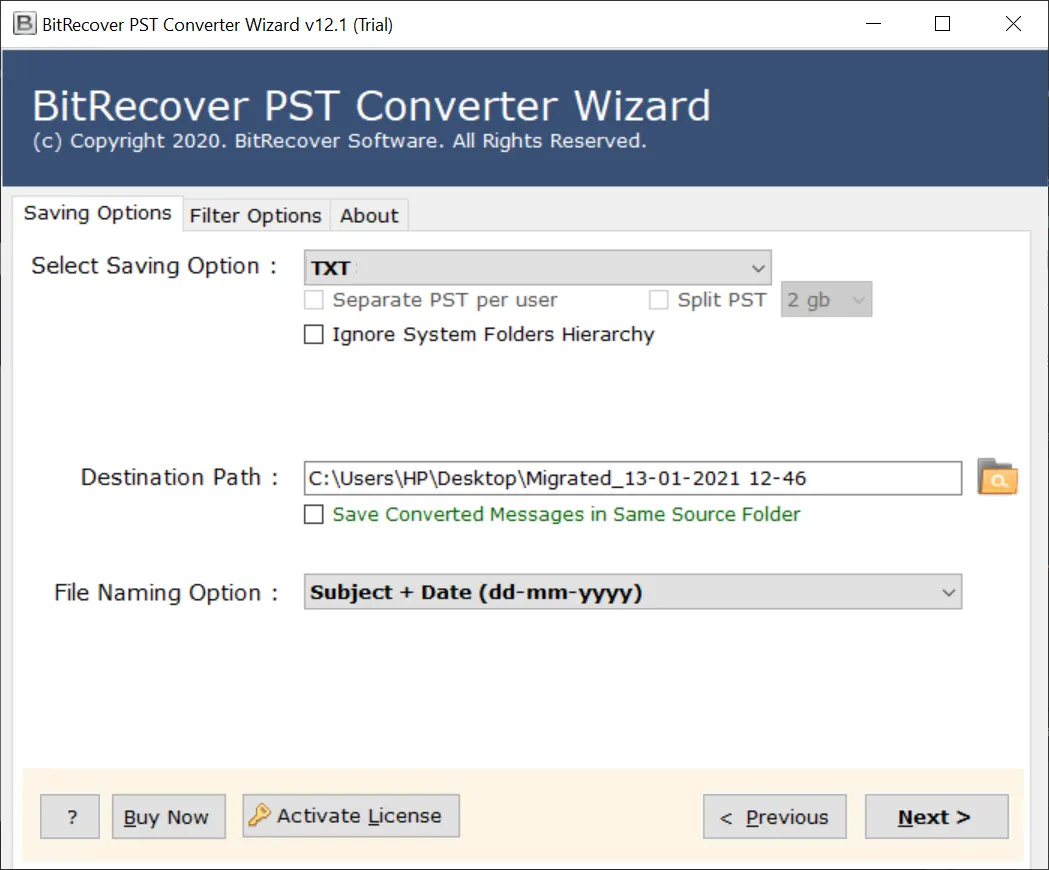
- Browse the destination path to store exported attachments.
- Click on the Next button to extract Outlook attachments automatically.

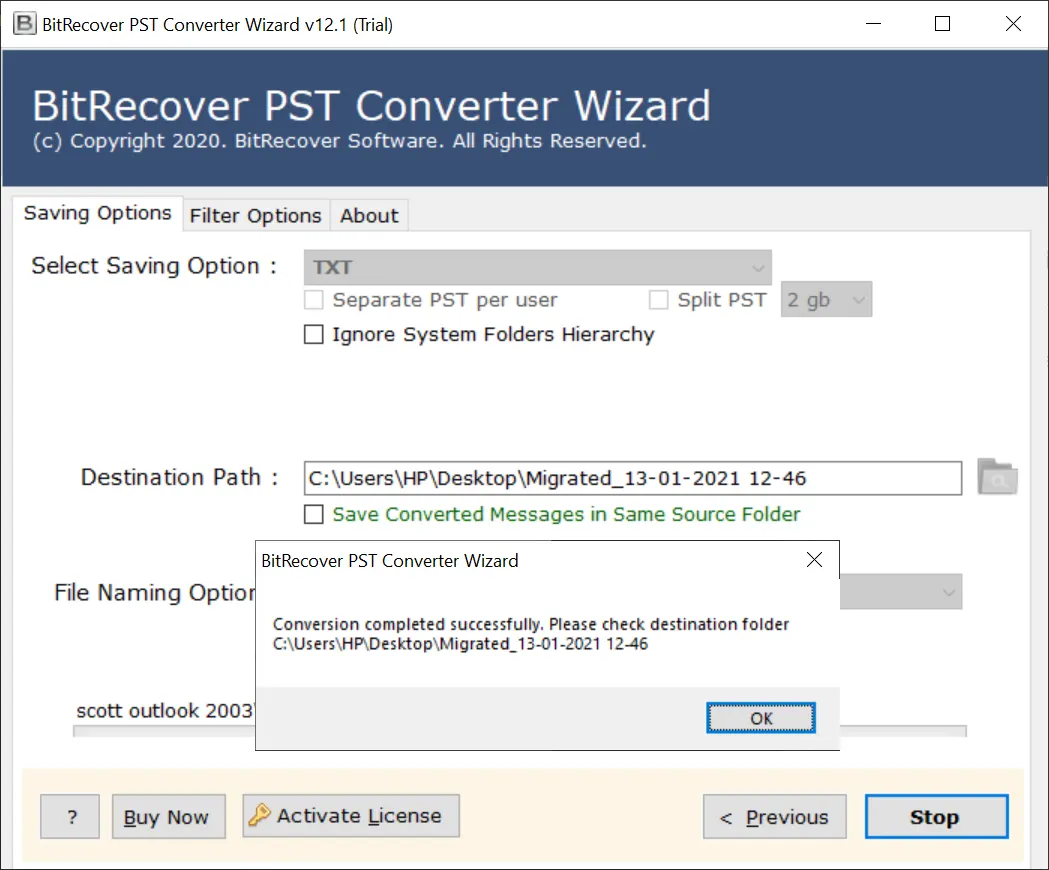
- The process to bulk extract attachments from Outlook is completed.
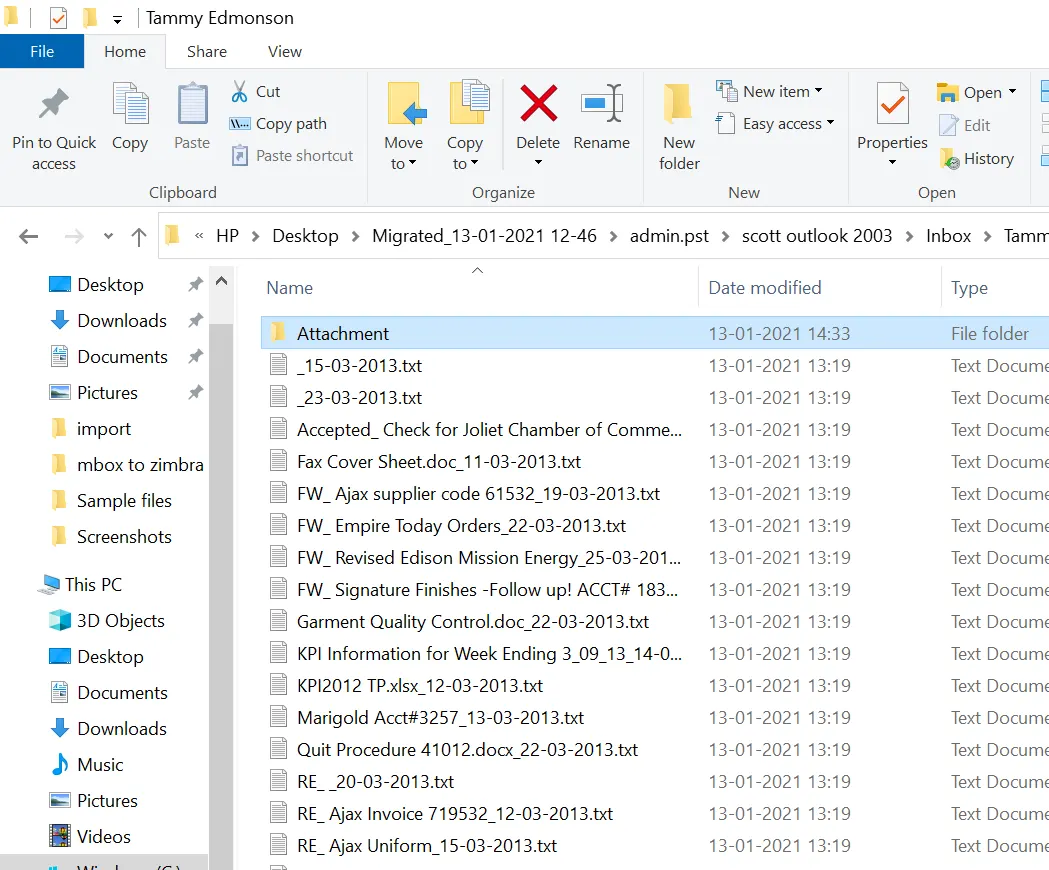
- Lastly, the software will automatically open the destination path. Get exported attachments in a separate folder.

Features of Outlook PST Attachment Extractor
- Extract Outlook email attachments in their original file extension same as previous i.e., *.pdf. *.txt, *.xls, *.xps, *.jpg, *.png, *.gif, *.bmp, and all.
- Export Outlook attachments to a folder without changing the original folder hierarchy structure i.e., INBOX, SENT, ALL MAIL, DELETED, ITEMS, OUTBOX, etc.
- Outlook PST Attachment Extractor is capable to extract attachments from Outlook data files (*.ost or *.pst) as well as configured Outlook accounts.
- The tool offers Use Data Recovery Mode so that users can also extract attachments from corrupted Outlook data files.
- It also allows users to choose specific folders to extract attachments from Outlook folders by selecting only important folders.
- Outlook Email Attachment Extractor can be installed on all Windows OS as well as Mac OS-based machines.
- This utility gives freedom to store extracted Outlook attachments at any destination path of your pc as well as an external hard drive.
- Extract attachments from Outlook desktop-based email clients like Outlook 2024, 2021, 2019, 2016 etc.
Read Similar: Get Tool to Remove Attachments from Outlook
You can also watch a live video tutorial to extract attachments from Outlook web-based account.
Questions and Answers!
Ques 1: How to extract attachments from PST file without Outlook?
Ans: Follow these steps to extract attachments from PST files.
- Launch Outlook Attachment Extractor Tool.
- Add PST files into the software panel.
- Select the required folders and press Next.
- Select TXT as saving and Browse the destination path.
- Press the Next button to extract PST attachments.
- Get exported attachments from a resultant folder.
Ques 2: Is it possible to automatically export attachments from Outlook 2024?
Ans: Yes, Outlook PST Attachment Extractor is a fully automated software that supports Outlook 2024, 2021, 2019, 2016 and previous versions.
Ques 3: Can I extract all attachments from PST file?
Ans: Yes, this utility is able to extract all attachments from PST files.
Time to Conclude
Lastly, being a tech expert, I am again recommending the above-mentioned professional Outlook Attachment Extractor Tool. The suggested software is not only designed to bulk export attachments from Outlook emails. Also, offer a lot of advanced features that will always be helpful for Microsoft Outlook users. The tool comes with a free demo edition with 24 hours of technical support.
About the Author

