How to Export AOL Emails to a Hard Drive ?
Fact-checked and reviewed in accordance with our Editorial Policy
Are you also looking for the solution of how to export AOL emails to a hard drive? In this blog, we will provide you a solution for this issue. By using a professional tool users can easily complete the procedure. Spend time reading this 6 minute article and you will get the solution surely.
Why there is a need to export AOL emails to a hard drive? AOL Mail is a cloud-based email application. Data security is one of the most important factors concerning its users. The data stored in the user’s cloud-based email service is always prone to data loss and data breach. So, taking backup of AOL emails to external drive has great importance.
Techniques of How to Export AOL emails to a hard drive
If users wants to export AOL emails to a hard drive or any other location pc. Then users can use dual methods to store AOL emails to external hard disk as given below.
- Manual method
- Automated method
Let’s discuss about both the methods in brief.
Export AOL Emails to a Hard Drive By Manual Methods
Using print message feature
- First, login to your AOL (America Online) account and then Open the message that is to be exported and click on More.
- Then in the Drop-down Menu, click on the Print Message option.
- After that, click on Change in the new tab opened.
- Then, select Save as PDF and press Save button to save AOL emails to external hard disk.
- Finally, choose the desired location to store exported e-mail and press Save button.
- If user wants to transfer multiple then user needs to perform the same procedure for each mail, to export AOL emails to computer in PDF file format.
View message feature
- First, sign into your AOL account Open the message and press More.
- After that, click on View Message Source from the drop-down menu.
- Then, press Ctrl + S and choose the desired location (connected hard disk) to save the exported file.
- Finally, change the file extension from .txt to EML and open the created file in multiple applications.
Limitations – This manual method also does not support batch migration, and the email message does not get saved with a subject name. This may create confusion for the user in later use.
The above explained in the above section can only support one email at a time. So, these methods will not help users who need to save AOL emails to external hard drive in bulk. Investing time here is not a good option.
Pro Technique to backup AOL email to external hard drive
AOL Mail Backup Tool is the best method to solve the issue of how to backup AOL emails to external hard drive. This Software also provides the facility to extract email addresses as well as attachments in their original oriented file extensions. Through this tool users can use the batch mode option to backup AOL email folders to a hard drive from multiple AOL Mail accounts at once without changing the folders hierarchy structure. There is an isolated option to extract email addresses from AOL accounts properties i.e. From, To, Cc, Bcc, and Email Body.
How to export AOL email to external hard drive in batch – Steps
1 – First, users must install the above-mentioned software on their system.
2 – Then enter your AOL account credentials – log in id and password and then click on the Login button.
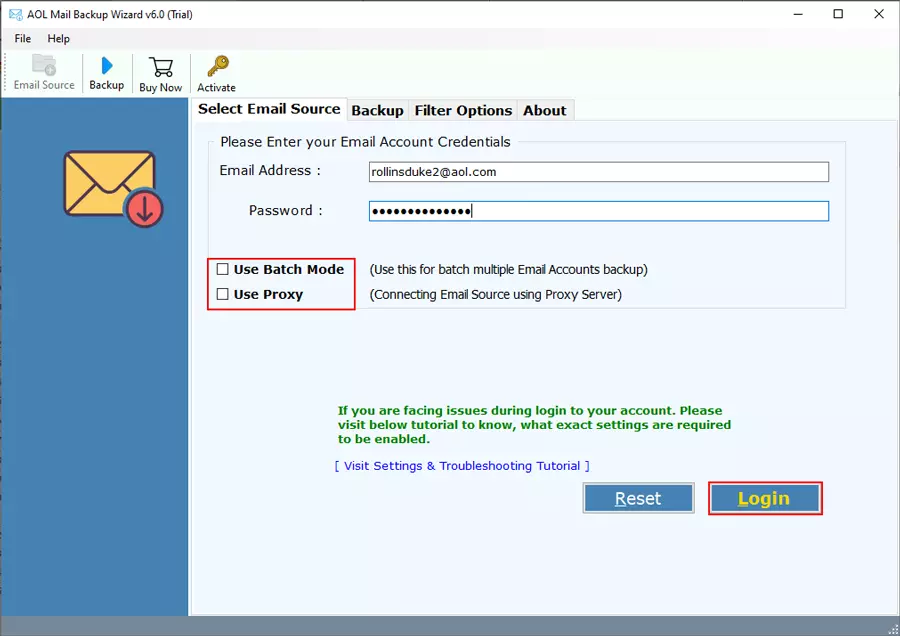
You can also use the batch mode option to save AOL emails to external hard disk from multiple AOL email accounts at once – Click Here to Know.
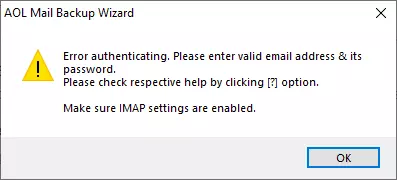
3 – If you are seeing error authentication message, then please make sure; IMAP settings should be enabled. You also need to generate AOL Mail Password to save emails using third-party services. It’s only one-time setting. Click Here to Know.
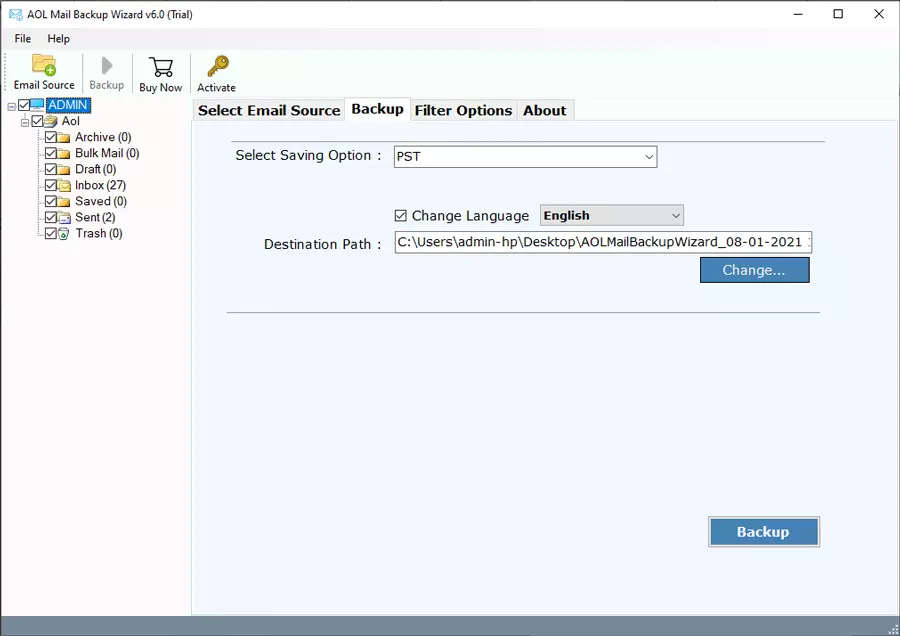
4 – After that, select those files and folders for creating backup into the external hard drive.
5 – Then the user can select the file saving option from the given drop list to save selective AOL emails.
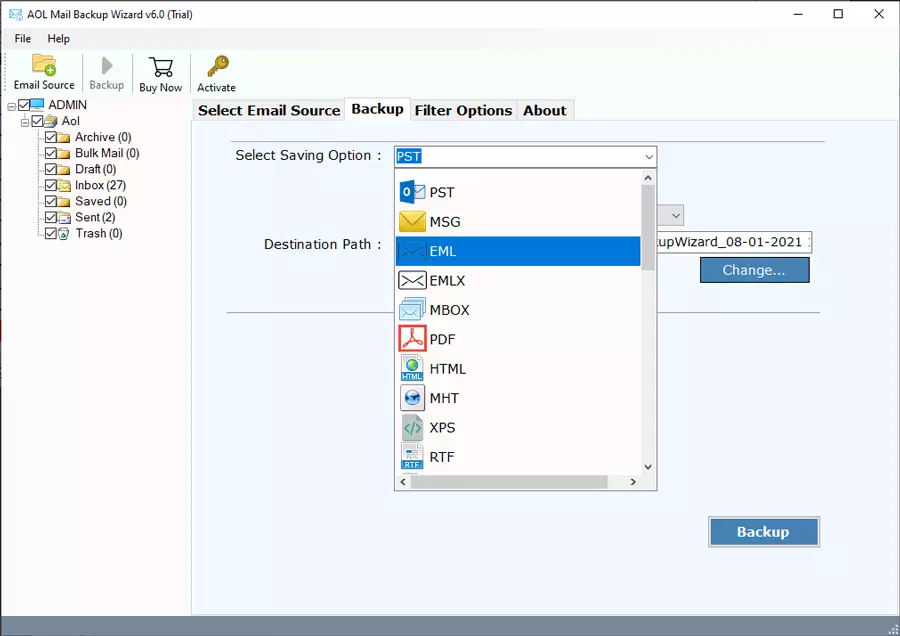
6 – Thereafter, click on the Change button for selecting connected external HDD as the destination path. After that click on Backup button to start the process of the backup.
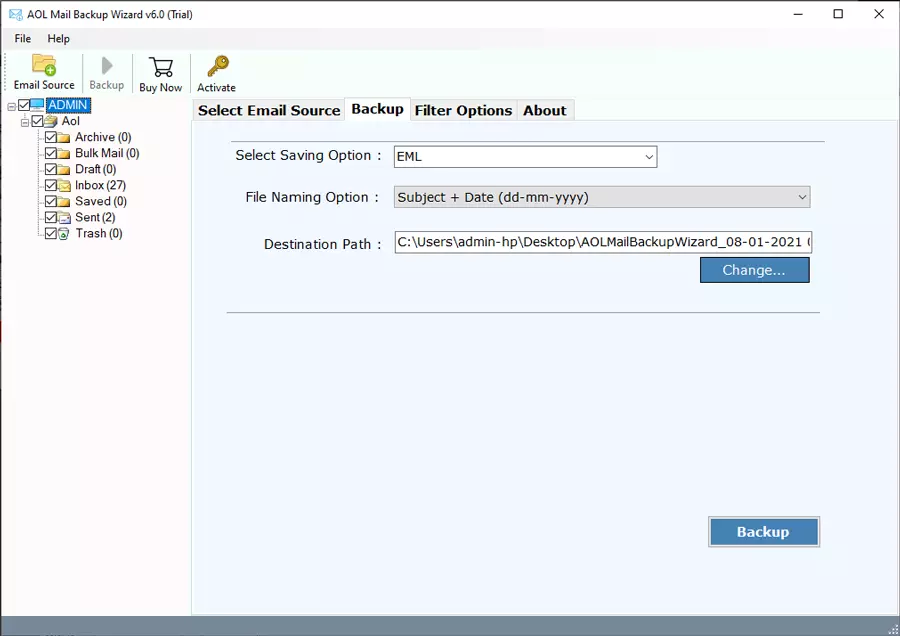
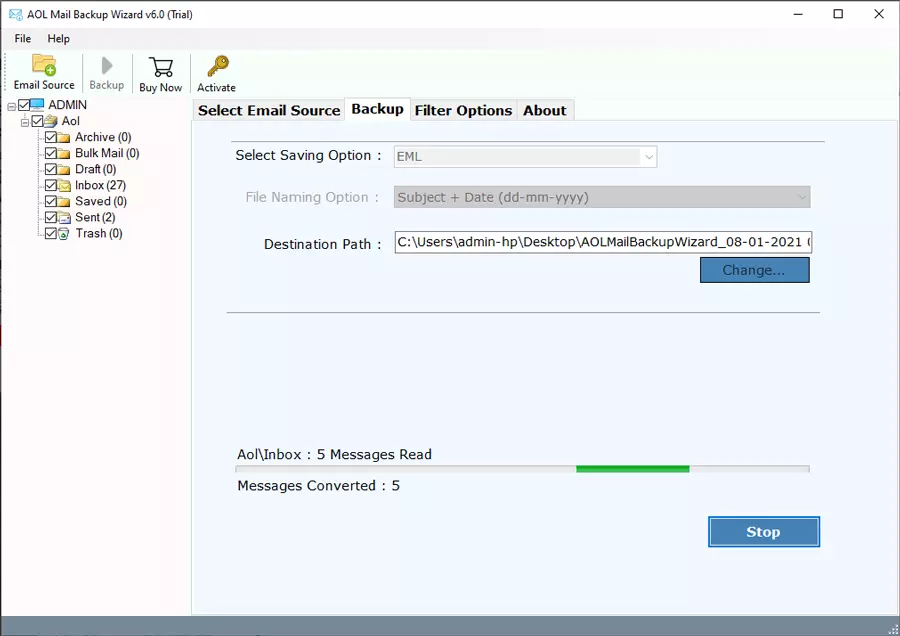
7 – The user can see the live migration process on his screen.
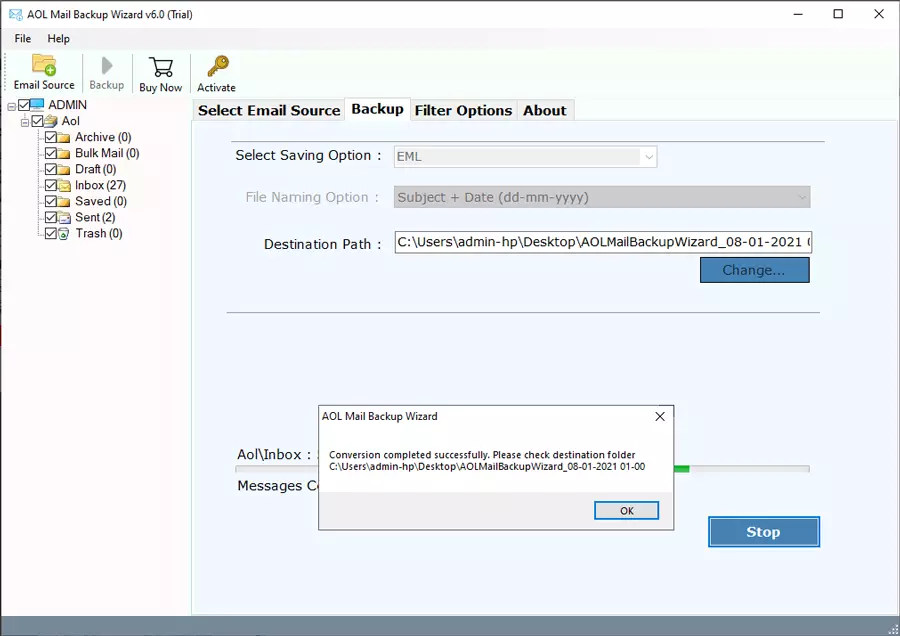
8 – After completion, a pop-up box will appear. Click on OK.
Reasons behind choosing this application
Use the Batch mode option for multiple accounts
If user has several accounts for backup then user can imperatively use the batch mode option of this utility. After selecting this option from software GUI, the tool will say to upload a CSV file having multiple credentials of multiple AOL accounts. After that, users can backup AOL webmail data from all accounts at once on an external HDD. Now, you can export AOL emails to a hard drive easily.
Preserve Email Meta Properties
During backup process of AOL to any format, the software maintains all email components, attributes, and properties. Like Emails, Folders, Attachments, Sender Information, Receiver Information, Subject, Signature, HTML Links, Text Formatting, Internet Header, Date, Time, Year, etc. If
Use advance filters to download AOL email on external HDD
The updated edition of the suggested application comes with extraordinary filters. It will backup AOL webmail emails to hard disk between a specific date range, email address, and email subject. This utility also has an isolated option to export only Sent Folder email messages from AOL accounts.
Backup only selected folders from Whole data
If users wants to export AOL emails to a hard drive. Users can do so by filling the account credentials, it will show all email folders in the software interface. From here, user can choose only specific folders to backup them from the AOL account without affecting the original data. At the time of exporting AOL email to hard drive, mostly users always prefer to use this feature.
Conclusion
The best solution of how export AOL emails to a hard drive is explained here. Go through the manual as well as professional solutions, which are explained here. Though the manual solution is very lengthy and time-consuming method. Non-technical user will not be able to opt for this solution due to its technicalities. Therefore, an automated solution is the best option for both technical and non-technical users. Users have to follow the above-mentioned steps to complete this procedure.
About the Author

