msg viewer box

Screens

Video

Guide

BitRecover Free MSG Viewer

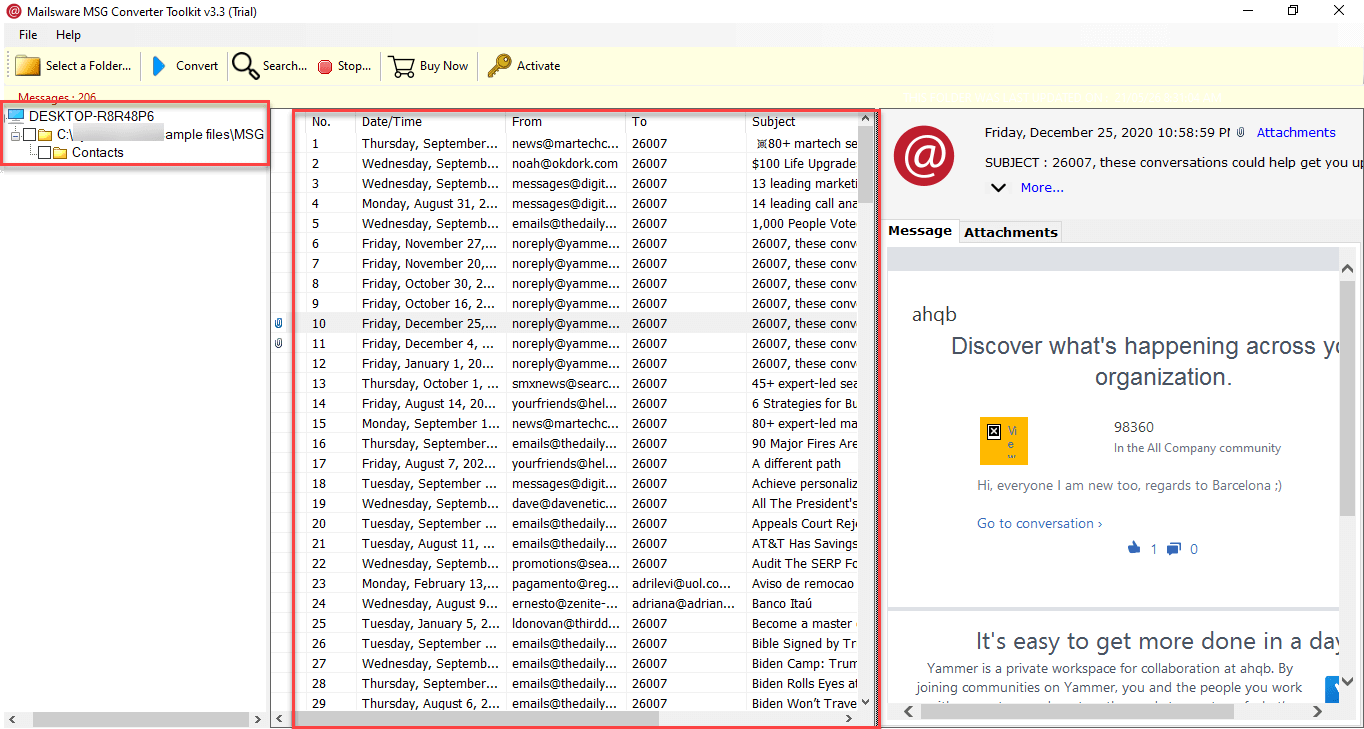
Batch view your MSG files with the advanced MSG reader which provides a safe and secure solution for previewing, reading, and saving MSG files with attachments.

  • Helps protect the integrity of the data files while users preview their records.
  • This Proficient Utility Offers Auto-Detect Mode for Instantly Identifying the MSG File.
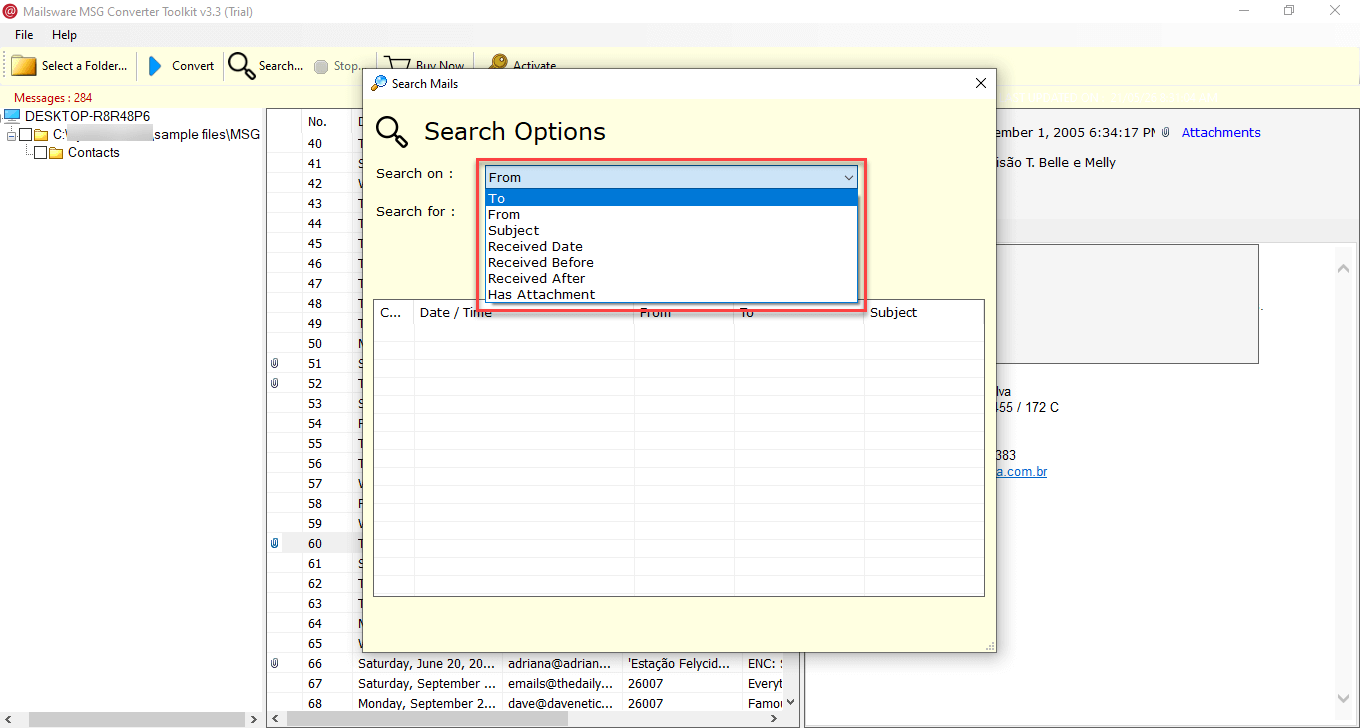
  • Provides users with a Search option helping them to filter their files accordingly.

Why Users Should Go for Use MSG File Viewer?

Explore the Potential Causes of Using Expert Tool to View MSG File

quick access

Quick Accessibility

With the help of the automated tool, users can read and open MSG files without installing email clients like Microsoft Outlook. Using the BitRecover MSG Viewer utility enables users to save time and energy through batch viewing to instantly access file without a hitch.

save attachments

Preserve Attachments

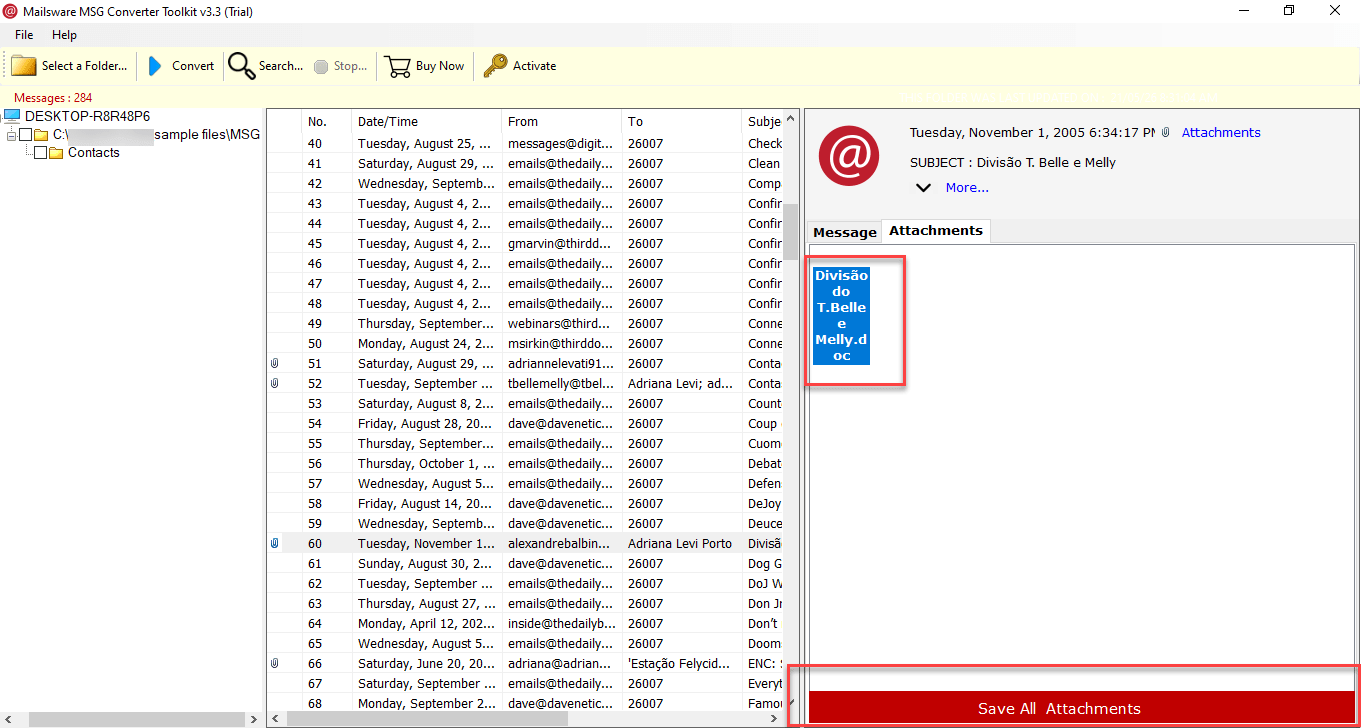
Not only does the tailored and risk-free MSG file viewer allow users to save, access, and print attachments from MSG files, but is also considered the one-stop solution for previewing attachments quickly, with full safety and security.

view information

Preview Mailbox Elements

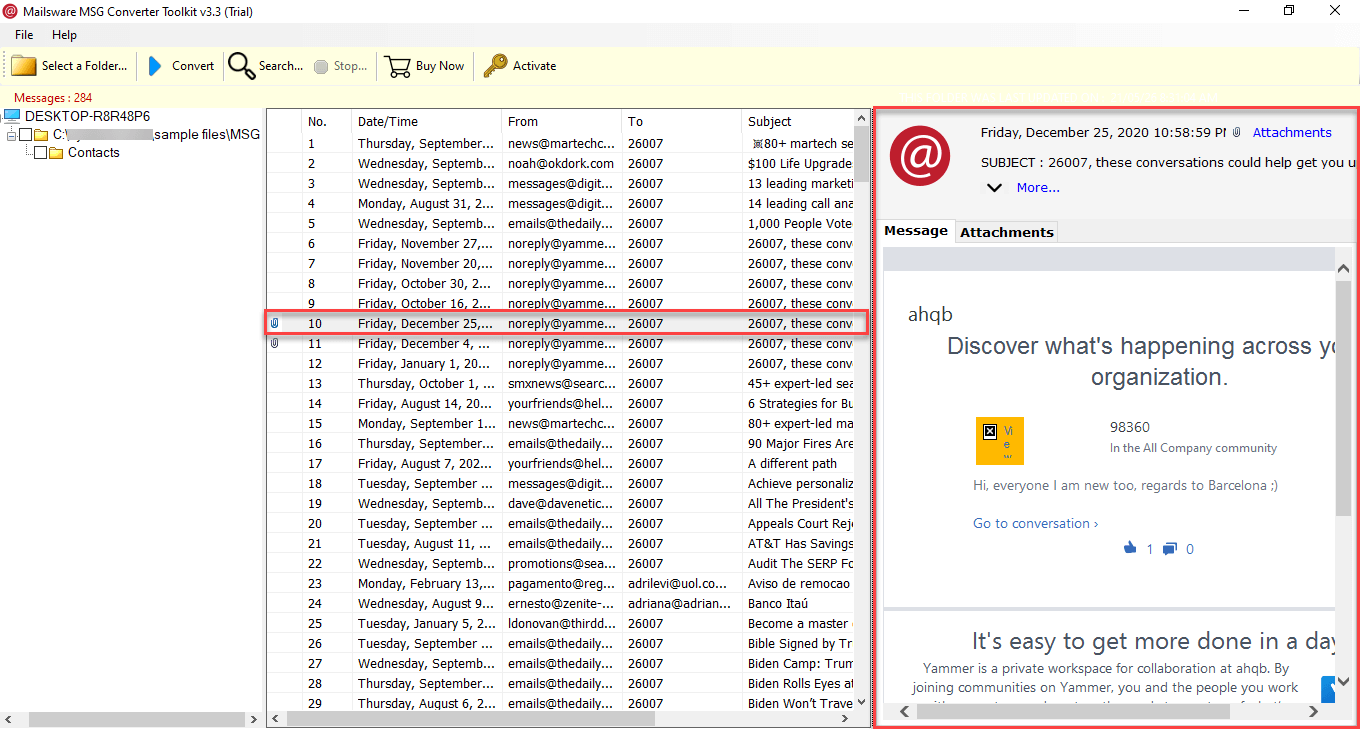
Using the professional tool, users can preview the mailbox data stored in MSG files more specifically, such as emails, calendars, contacts, notes, and tasks, along with sorting out attachments and other crucial data information.

secure solution

Safe from Data Hampering

Since many organizational and individual users use emails that hold confidential data, the risk of data tampering and stealing becomes quite high. Through, using this advanced MSG Viewer, users can effortlessly eliminate the chances of data loss and tampering.

Use Free MSG Viewer for Outlook to Preview Data

Easily Preview Each & Every Attribute of the MSG Files Securely

formatting
Formatting

character
ANSI & UNICODE Character

view msg
View MSG File

maintain structure
Structured Set of Data

read header
View Header

data integrity
Preserve Email Properties

preview data

View Attachments with MSG File Viewer Tool

The MSG File Viewer consist the capability to be an all-in-one solution with the purpose to read and preview mailbox items, and for users to quickly access the essential MSG data such as Emails, Notes, Calendars, Contacts, and Tasks without any security concern. Check-Out the functionalities of the Robust Reader:-

  • It is a modern method to instantly manage and view the events of calendars, notes, and tasks.
  • Excellent utility to read the MSG file including attachments, email properties, etc.
  • You can sort emails or mailbox items via properties such as From / Subject / Date.
instant view email

Use MSG Viewer to Read Emails Instantly

The BitRecover MSG File Viewer is a proficient and optimal utility, accessing the MSG file on various devices and operating systems. It helps users minimize dependency on email platforms such as Outlook. With the assistance of this tool, users can read multiple MSG files without installing a desktop-based environment, adding a seamless accessibility to read MSG files.

  • It supports all the latest versions of Windows operating machines including Windows 11, 10, 8, 8.1 and all the previous versions promoting smooth accessibility.
  • The tool offers the advanced search options for users to select necessary MSG files according to Date, From, To, Subject, and many more.
  • Check out the MSG File Viewer to access the MSG file extension on any web browser without being concerned about data safety.

Why the BitRecover MSG Viewer is the Best?

Explore the Modern Attributes of Using the MSG Reader to Enhance File Availability

Can View in Offline Mode

This advanced MSG File Viewer is an optimal utility which includes the feature of previewing MSG files in offline mode. It is a cost-free solution for professionals and home users to help analyze the data of MSG files without any potential fear and risk since it does not require any internet connection.

Offers Instant Solution

With the help of the latest batch view option in Free MSG File Viewer users can view thousands of their crucial MSG files simultaneously without hampering attachments, making it a risk-free, fast solution and a go-to choice for professionals in large organizations to manage MSG files instantly.

Preview and Save Attachments

Not only it enables users to preview, analyze, sort, and save MSG files' attachments and preserve email properties and data while assembling MSG Files without any load time but also let them choose msg files selectively, avoiding tagging along unnecessary MSG files respectively

Simple & Intuitive GUI Interface

This utility is designed with the requirements of both technical and non-technical users in mind, offering a simple yet intuitive, user-friendly interface. With this, users can effortlessly open and read the MSG files on their day-to-day tasks.


Modern Attributes of MSG File Viewer

Check Out the Advanced Functions of The Automated Tool

batch view solution

Batch Preview MSG File

The MSG Viewer tool provides a batch view feature that lets users audit, analyze and read the information stored in MSG file format. It allows users to add single and multiple files while maintaining the integrity of the data. The advance solution is designed to open MSG files without requiring to install Outlook while supporting both ANSI and UNICODE formats.

read emails

View Emails with Attachments

MSG file viewer makes sure to carry out the attachments along with their respective emails for users to manage their files accordingly and keep the attachments completely safe and aligned in Preview Mode without hampering any information items in the MSG files.

view header

Preview Message Header Information

Modern tools like the Free MSG reader are helpful for numerous reasons like investigating professionals in digital forensics as it allows them to deeply examine elements like header, body, email attributes, and attachments in a single view.

use search filter

Advanced Search Option

With the help of the search option users can select only required MSG files based on date range, From, To, username, etc., which further assists them in avoiding useless file formats and blending it with the crucial ones, making it a management concern.

save attachments

Maintains Folder Hierarchy

While processing the required MSG files, the automated tool guarantees preservation of all data elements in order before and while viewing, keeping the original data of the files completely intact and in order or without needing the support of the internet to do so.

secure utility

Secure Solution

MSG File Viewer is a safe and secure, state-of-the-art utility that keeps away all types of threats like malware, phishing, accidental data deletion loss, deactivation, data tampering, and unauthorized penetration practices, since the tool completely works without needing any online connections.

Video Tutorial for MSG Viewer

Follow Simple Steps to Easily Preview & View MSG File

System Requirements of BitRecover MSG File Viewer

Look into the Minimum Requirements to Install the Expert Tool

Software Download

File Size: 77.0 MB

Version: 4.0

Trial Limitations

Free MSG Viewer permits to preview the information instantly. Use the trial version and test the software before activating it.

System Specifications

Hard Disk Space
100 MB of free hard disk space

RAM
Minimum 2 GB RAM

Processor
Intel® Pentium 1 GHz processor (2.4 GHz is recommended)

Supported Editions

  • Microsoft Windows – Windows OS 11 (64 bit), 10, 8, 7 (32 bit or 64 bit) & Windows Server 2022, 2019, 2016, 2012 R2, 2008.

Electronic Delivery

BitRecover MSG File Viewer Wizard is delivered automatically. After the payment is confirmed, users will receive an email with a link to download the product and the activation key.

Commonly Asked Questions of MSG File Viewer

Read Questions Asked by Customers Along with their Solutions

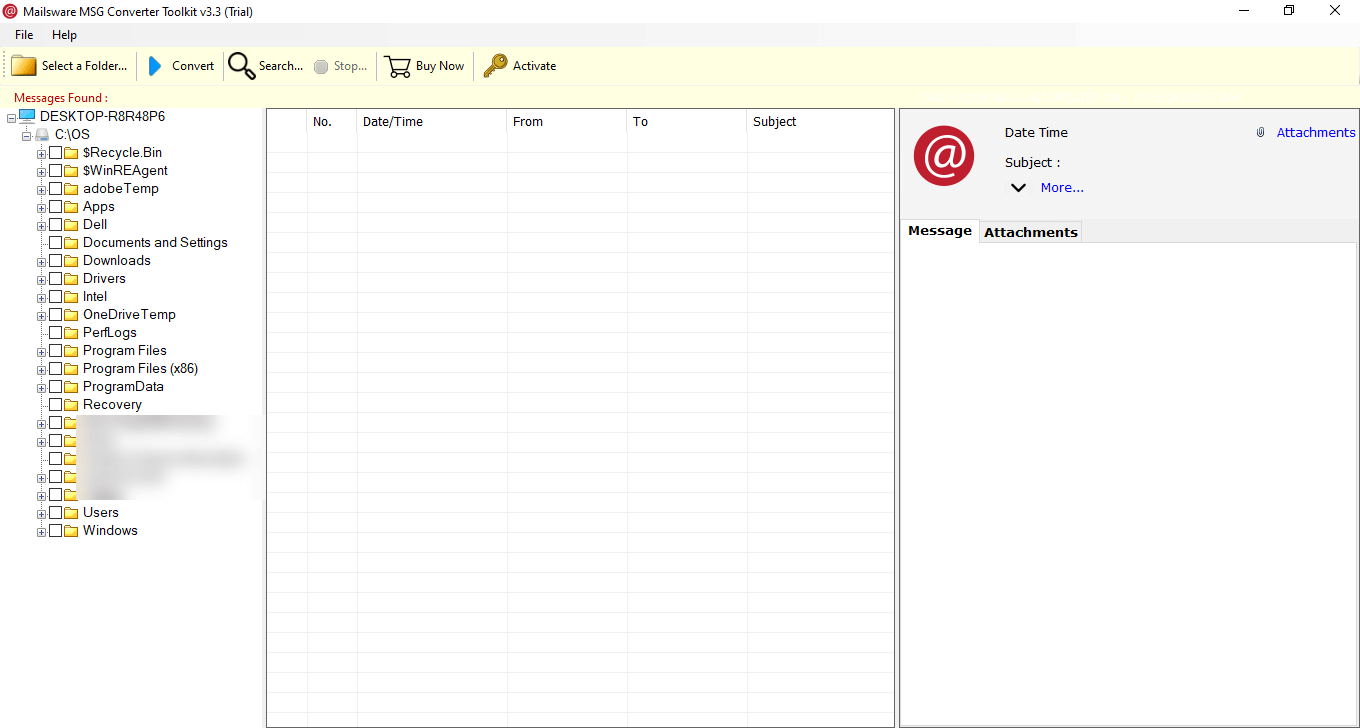
  1. Run the Free MSG Viewer tool.
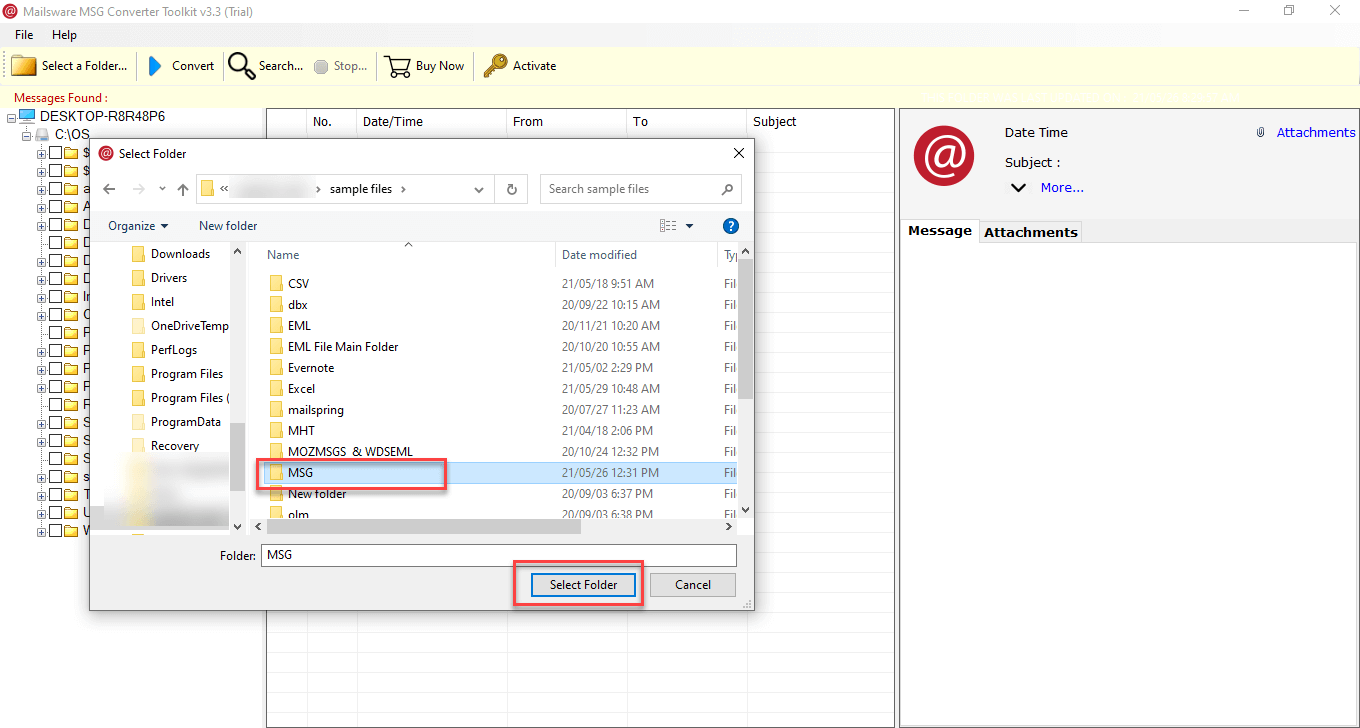
  2. Click on Select a Folder and insert the MSG file.
  3. Then, it will automatically load multiple MSG at once.
  4. Now, preview the data and read it in a single view.

MSG is a standard file format supported by Outlook for storing individual emails. Any email data in an Outlook account can be easily created as MSG with just drag and drop.

No, there is no file size limitation to preview the email data of MSG files. With batch view, users can analyze as much data as they require.

Yes! Users can preview their essential data files without installing Outlook on their system with the help of the robust free MSG Viewer

Absolutely, The MSG File Viewer ensures to process every attachments with their respective emails while processing the required MSG files.

The inconsist of an Advanced Search Option which is designed for users to select the files accordingly like date, from, time, from, to, etc. to avoid processing any MSG file that is not required.

In Absolutely all of them. The Automated MSG File Viewer support all operating systems including Windows 11, 10, 8, 8.1, 7, and all the versions before it.

Don't Worry. The tool ensures complete safety and security of users' data since it works without any internet connection, automatically keeping all sorts of online data threats out of the reach.

Promising Reviews Given By Clients

Genuine Client Experiences Shared Through Testimonials


Live Chat