Users often need to save MSG email files in a fixed document format like XPS. This makes emails easy to view, print, or share without requiring an email client. The BitRecover MSG to XPS Wizard helps you achieve this quickly, without complex technical steps.
Follow These 5 Simple Steps to Convert MSG to XPS
![]()
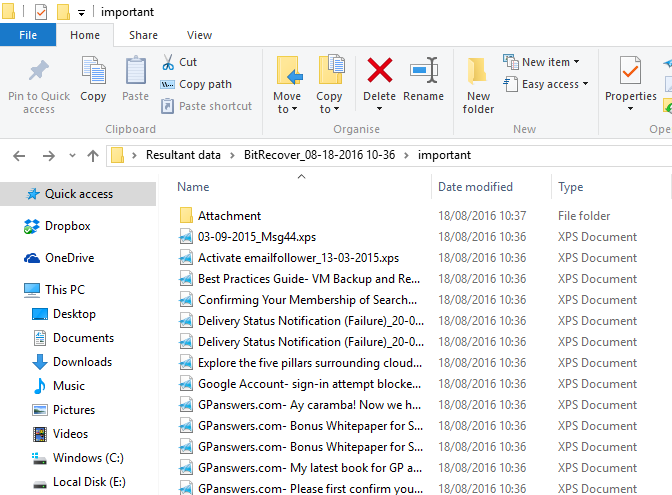
The MSG to XPS Converter tool not only converts Outlook email MSG format to XPS but also supports converting attachments. After a successful conversion, the application creates a separate folder where all attachments from the MSG email files are stored. Moreover, the text/images of MSG email attachment will remain the same after MSG to Microsoft XPS conversion.
![]()
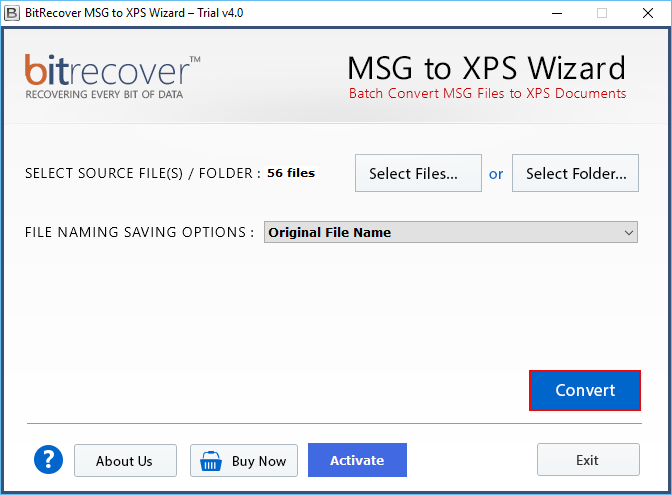
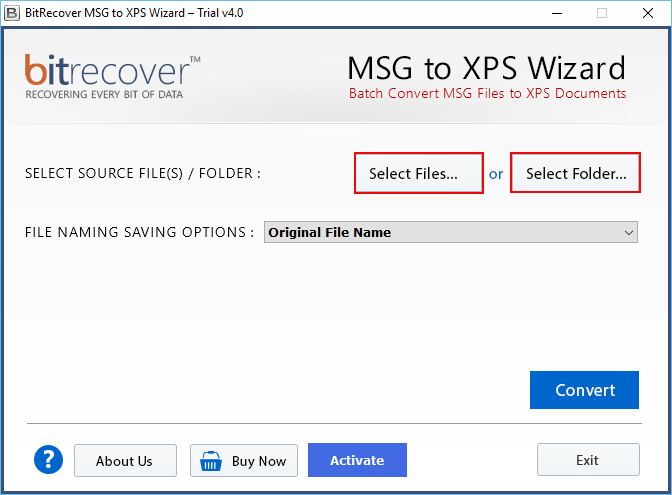
MSG to XPS Wizard application includes two options to save Outlook MSG file as Microsoft XML Paper Specification (XPS) format. First “Select Files” allows you to select the required files to change MSG file Outlook to Microsoft XPS documents. Second, the "Select Folder" option allows you to select the complete MSG Outlook file folder and convert it in XPS file format without dealing with any kind of error issues.
![]()
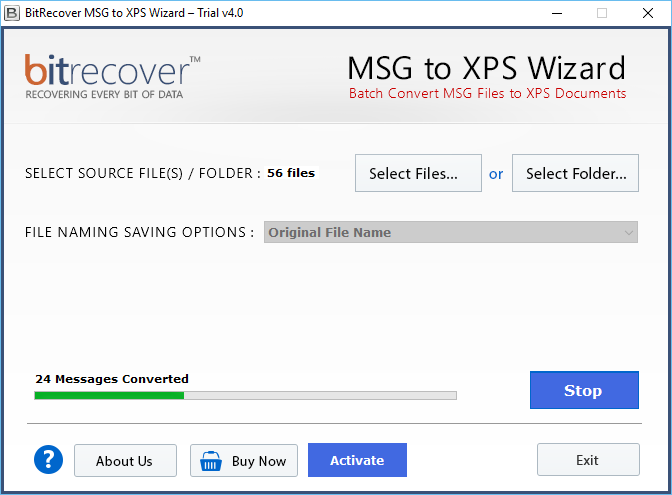
There are no restrictions on converting multiple MSG files to XPS document files. You can easily and smoothly perform bulk migration of MSG to Microsoft XPS in a single attempt with accurate and precise content without losing the quality of the information. This will save the crucial time and quickly convert multiple MSG file in XPS file format.
![]()
The tool to convert MSG to XPS documents is an advanced software application that quickly convert MSG file of Outlook Exchange to single XPS document. For example if you have MSG folder with 15 MSG files, then the MSG to XPS tool will create 15 XPS files instantly. All the data of MSG file after conversion will remain intact.
![]()
No Microsoft Outlook Installation Required
To perform the conversion of MSG file to XPS file format, it is not necessary that MS Outlook must be installed on the system. You can go with the process without requiring the MS Outlook email application. Moreover, the software supports all version of MS Outlook from 2000 to 2016. Any edition of MS Outlook MSG file can be easily converted to XPS document file.
![]()
Ability to Run on All Version of Windows OS
You can utilize the application on any version of Windows operating system. It is not restricted to single operating system of Windows. Users accessing any version of Windows OS can make use of the application and convert MSG to XPS without taking help of technical expertise as it has simple and easy to use GUI that can be easily used by novice users for conversion of Outlook MSG file.
![]()
Multiple File Naming Saving Options
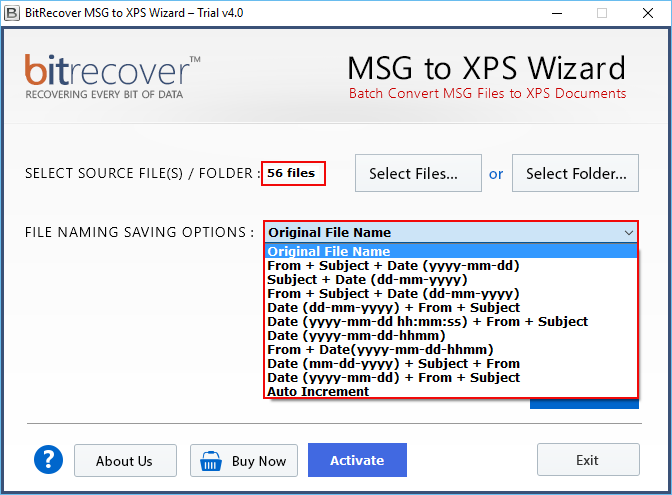
The tool gives different file naming saving options so users can manage their converted data according to requirement as Original file name, Auto increment, Save by date, Save by time and Save by subject etc. The tool offers 11 different file naming options to save converted XPS files.
![]()
Save Converted XPS Files at Desired Location
This toolkit provides freedom to save converted XPS files at any desired location of your computer so it most beneficial feature because users can manage converted XPS database at desired location of hard disk drive and it offers facility to Make New Folder directly from software panel to save resultant data.
Trial Limitations
Freeware edition of this software is capable to convert 25 *.msg files to *.xps documents with complete details. Therefore, it is beneficial to check its complete working process before upgrading. After getting, complete satisfaction, you can grab its license keys to avoid all restrictions.
System Specifications
Hard Disk Space
100 MB of free hard disk space
RAM
Minimum 4 GB is required
Processor
Intel® Pentium 1 GHz processor(x86,x64) or equivalent
Supported Editions
Windows OS 11 (64 bit), 10, 8, 7 (32 bit or 64 bit) & Windows Server 2022, 2019, 2016, 2012 R2, 2008
Feature Comparison of MSG to XPS Migrator for Windows - DEMO and Licensed Version
| Features | DEMO Version | FULL Version |
|---|---|---|
| Insert several MSG files | ||
| Convert MSG to XPS with attachments | ||
| Offers dual conversion modes | ||
| Batch convert MSG Outlook files to XPS documents | ||
| Various file naming saving options | ||
| Compatible with latest & previous Windows OS | ||
| Outlook *.msg files to XPS Documents | only 25 MSG files | All Items |
| 24x7 technical support | ||
| Cost | FREE | $49 |
Frequently Asked Questions from Users & Some Important Information
Yes, there is no limitation of file size. You can quickly convert any number of Outlook MSG files to XPS document with the use of MSG to XPS Wizard. But to convert unlimited MSG files you need license edition because the free version of the application allows you to convert only 25 MSG files.
Our company also provide the solution to convert mailboxes as following.
We have also a freeware solution to read MSG messages without any limitation.
Yes, MSG to XPS software supports all editions MSG file format of MS Outlook Exchange. No matter which MS Outlook Exchange edition MSG file you have. It will simply extract and continue with the conversion process.
Yes, you can easily download and install the application to convert MSG Outlook to XPS document without facing any issues. Any Windows OS version will work for the converting operation.